

With the Groups module you schedule recurring activities without entering the same thing all over again every week.
Think of a weekly training session, a course group or a fixed team schedule. DoToo lines up upcoming dotoos and can sign group members up right away.
Group scheduling
You need two switches: the Groups module and Enable group scheduling under Settings → Dotoos & schedule. There you also set how many upcoming dotoos are lined up per group (up to ten).
When you create a group you pick the weekday, the start and end time, a template and optionally guides. Switch on auto-scheduling and DoToo tops them up every night from the template.
A group does not get a name of your own choosing: DoToo names it after the template plus the schedule. You add participants via Actions → Add members.
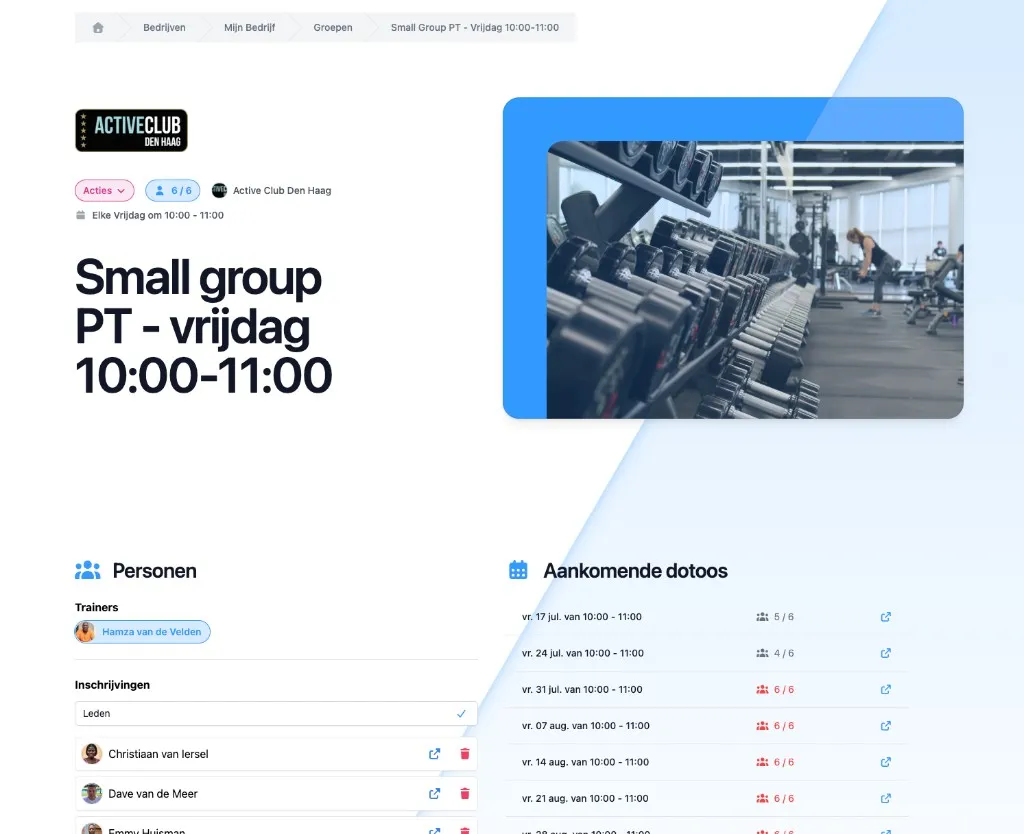
Members
Only group members and staff see the full group page. Everyone else sees that the page is for members only.
If you add someone, they are also signed up for the upcoming activities of the group. If you remove someone, those sign-ups disappear again. If the group is full, someone can join the waiting list of the group.
Chat
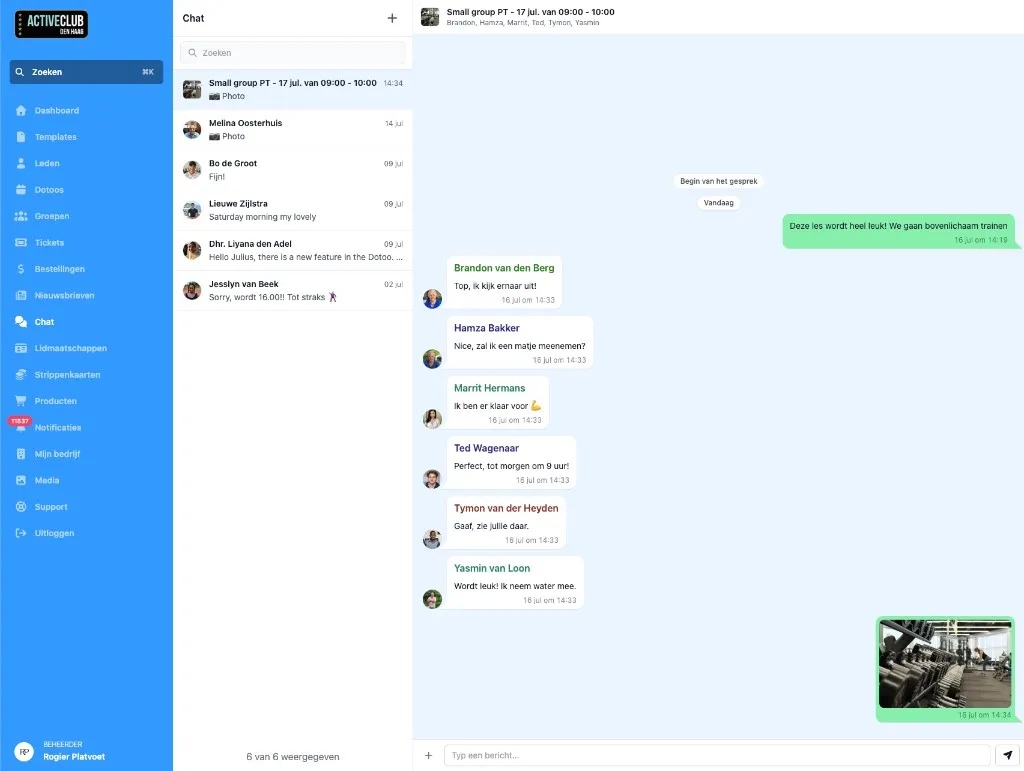
Through Actions → Chat you open the group chat (or create it). Handy for updates to exactly that group of participants.
Notifications are in the app; important things also go by email. No push on the lock screen.
Business use
Groups belong to your business in DoToo: sports teams, course groups, a trainers’ meeting with a fixed slot, and so on.
Set a group activity to Public and it also appears in your public schedule, so others can sign up if there is room.
Private “groups of friends” separate from a business are no longer a product of their own; everything revolves around organizations and their modules.
Conclusion
Groups give you a shared schedule with automatic planning and sign-ups. Less manual work, a clearer schedule for everyone.
You will find more details in the manual on docs, or ask through Support.