

Internal workshops and team activities in one place
Plan, invite and track attendance. No public agenda needed: you just share a link. For internal sessions, client events and networking meetups.
Organizing business activities gets needlessly messy when invitations and sign-ups are scattered:
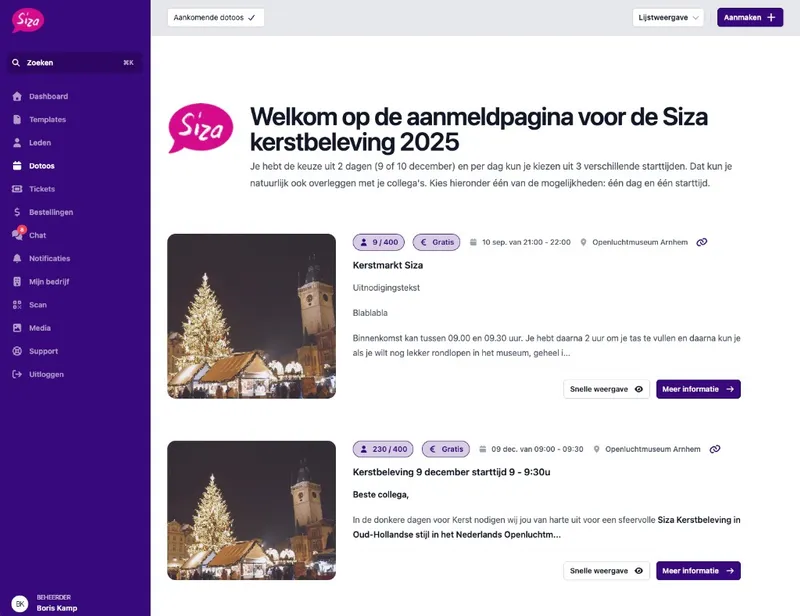
Plan the session. Keep a grip on who joins.
Create an activity with a title, date, time and location. That can be a lunch workshop, a training or a customer event. Work as a draft first and publish when people can sign up.
Optionally you set an opening and closing moment for registrations. With tickets you set capacity per type of attendance. So you see right away who confirmed, without a separate Excel.
What you set up in advance
Date and location. On site or online.
Capacity. Decide how many spots there are.
Optional registration period. Open and close sign-ups whenever you want.
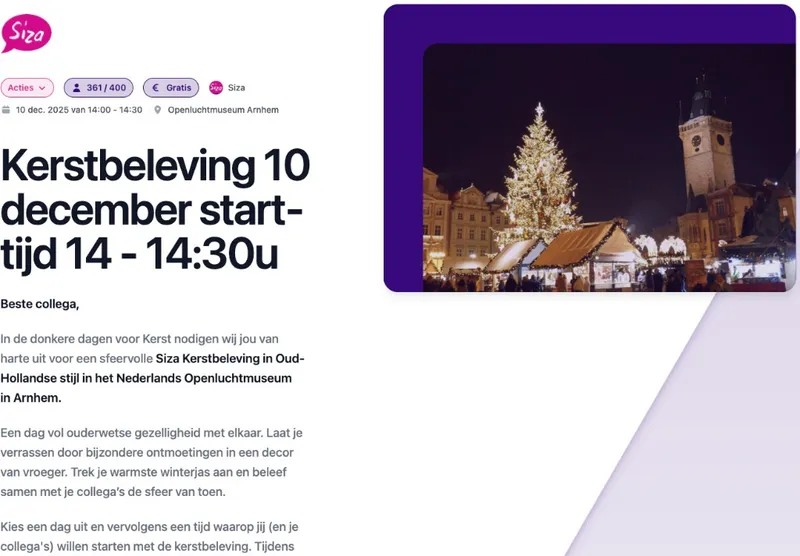
Invite with a link. Keep internal sessions private.
Every activity has its own link. Share it in an invitation, an intranet post or an email. Invitees see the current details and can sign up or join the waiting list if it is full.
For internal workshops you set the activity to hidden: not visible in a public calendar, but reachable through the direct link. That way you invite people directly, without a public schedule. That is part of your business profile.
Targeted invites
A link per activity. Share exactly the session that is relevant.
Hidden activity. Not in the public calendar, but reachable via the link.
Always up to date. Changes show right away on the same link.
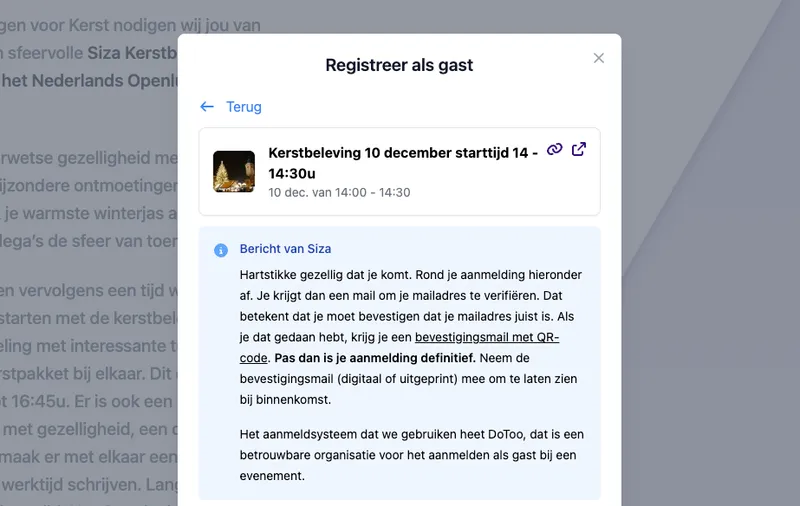
Sign-ups, attendance and optional payment
Participants sign up through the activity. You or your team record per booking who was present or absent. Handy after a training or a networking event, without a separate attendance sheet.
Is payment needed, for example for a customer event? Then participants can check out online. For internal sessions you simply leave payment out. People without an account you can add as a guest.
From invitation to attendance
Sign-ups in one place. See who has confirmed.
Attendance. Mark present or absent per booking.
Paying is optional. Free internally, paid externally where needed.
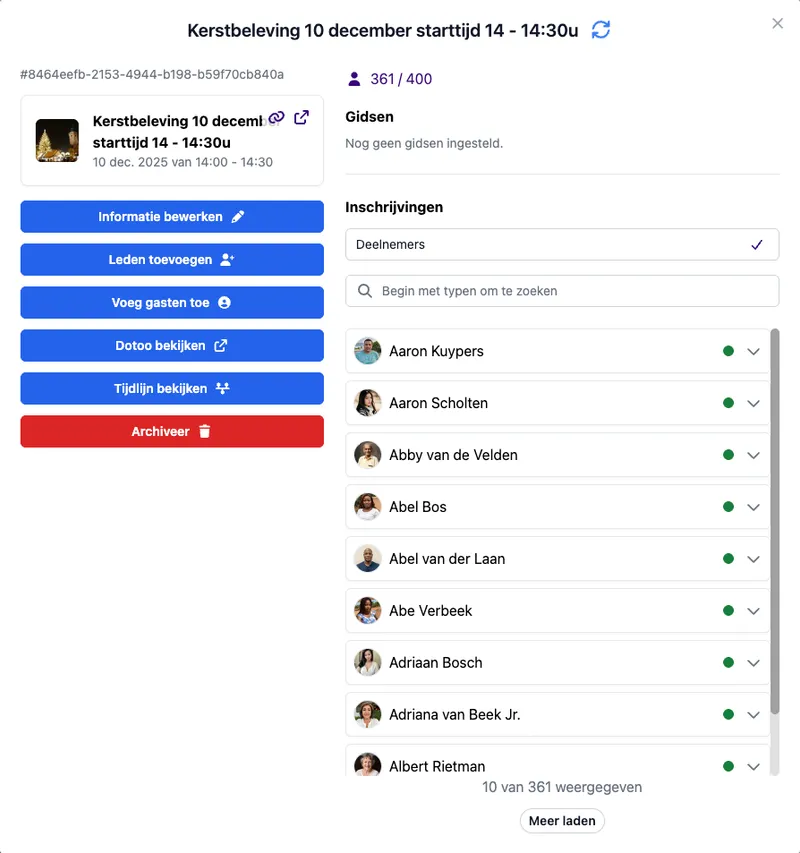
Guides visible to your team
Link guides or facilitators to activities and templates. Your team sees who leads the session, without a group chat or a separate Excel. Participants who are logged in see that information with the activity.
Afterwards you see per guide which activities they did, and how many, within a chosen period. That way you keep track of planning and settle hours or arrangements without separate overviews.
Clear for planning
Stats per guide. Which sessions, how many, within a chosen period.
On activity and template. Link once, reuse.
Visible to your team. Who leads the session, without separate lists.
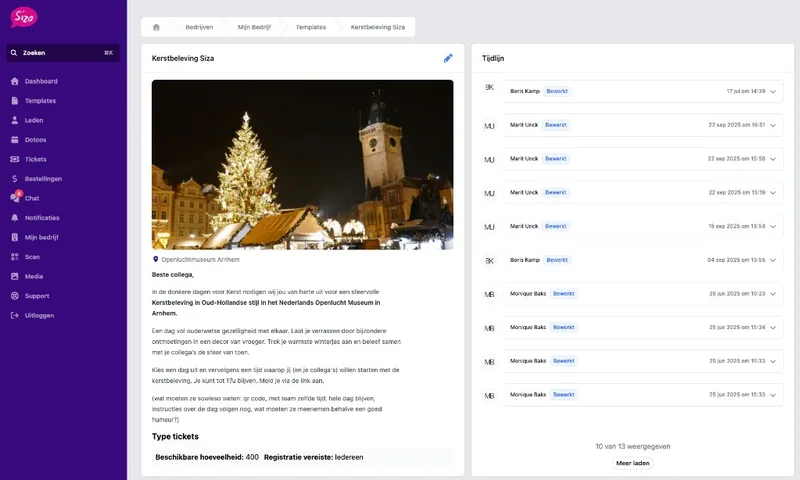
Repeat your format, not the data entry
Do you regularly run an onboarding session, lunch & learn or customer workshop with the same setup? Create a template with the fixed content and settings. From that template you set up a new edition faster.
For a fixed weekly rhythm, for example a weekly team training, use recurring classes. DoToo then creates new sessions automatically every week. That keeps the planning running without starting over each time.
For recurring formats
Reusable template. Set your standard session format once.
Publish faster. Create a new edition from the same base.
A fixed weekly rhythm. New sessions every week, automatically.
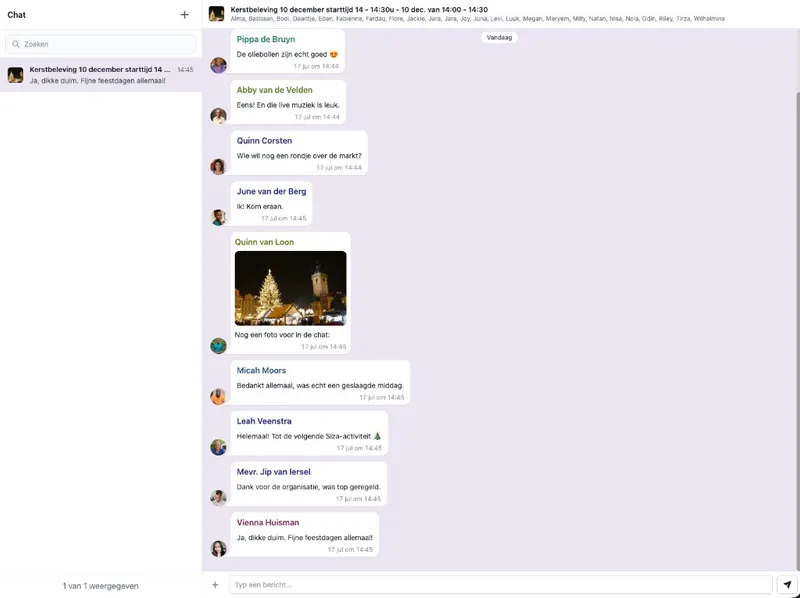
Messages to everyone taking part
Send one message from DoToo to everyone taking part in a workshop or another activity. No more separate emails or WhatsApp messages to each participant. See Communication.
For a broader update to your organization you build a newsletter with blocks: headings, photos and buttons. Send it by email and in DoToo. That keeps planning, messages and updates closer together.
Two channels, one platform
Messages. Reach everyone at an activity in one go.
Reminders. An optional notification or email before the session.
Newsletters. Updates with blocks when you want a broader announcement.
We organize a dozen activities a year for about 100 members. With DoToo people book themselves and we instantly see who's coming, without Excel lists.
Cora van Andel
Personeelsvereniging SamSam, Businesses & clubs
Frequently asked questions
- Which organizations is this page meant for?
For businesses that organize internal workshops, team activities or customer events. Networking clubs, hospitality venues with activities and charities that offer bookable sessions are in the right place too. It is about scheduling, inviting and tracking attendance. A public calendar or a public offer is not needed.
- Can I keep an internal session private?
Yes. Set the activity to hidden. It then does not appear in a public calendar, but stays reachable through the direct link that you share with your invitees.
- Do participants have to pay?
No, that is optional. You can keep internal sessions free. Is payment needed, for a customer event for example? Then participants can check out online from the activity.
- What if someone does not have a DoToo account?
Your team can add that person to the activity as a guest. That keeps the participant list correct without everyone having to create an account first.
- How do I track attendance?
You register present or absent per booking. That way you see afterwards who was there, without a separate attendance list in Excel. More about sign-ups on Bookings.
- Can I run the same workshop again later?
Yes. Capture the fixed setup in a template and create a new edition from it. For a fixed weekly rhythm you use recurring classes, so new sessions appear automatically.
- How do I reach all participants of a session at once?
From Communication, send one message to everyone taking part in that activity. No more separate emails or WhatsApp messages. For a wider announcement you use Newsletters.
- Is this the same as an event platform or gym software?
No. DoToo is built for bookable activities with rules: inviting, capacity, attendance and optional payment. Not for mass events, and not as pure gym software. Internal and business sessions are the starting point here.