
Manage your activities without the manual work
Stop updating spreadsheets, WhatsApp and separate calendars. One schedule for you, your team and your members.
Planning by hand in Excel, WhatsApp or separate calendars costs you more than you think:
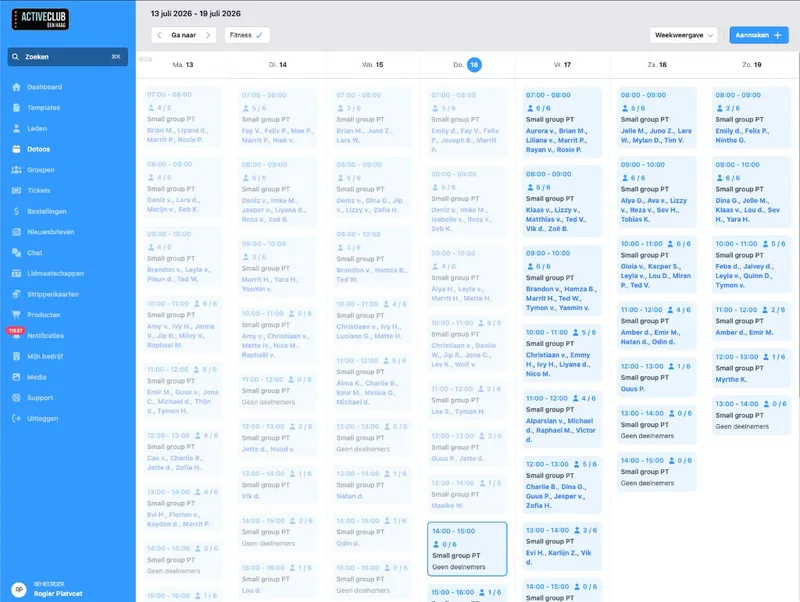
One calendar. Always up to date.
Publish activities with date, time, location and status. Work as a draft and go live when you are ready. Physical location, online link or both: everything sits in one place.
Filter by category (yoga, workshop, after-school club) so your team and members quickly find what they are looking for. No more versions that do not match. That saves time with every change and prevents mistakes you have to sort out with members later.
What you arrange right away
Draft and published. Prepare your work and go live when you are ready.
Categories and location. On site, online or both. All in one place.
Always up to date. No more versions that are wrong.
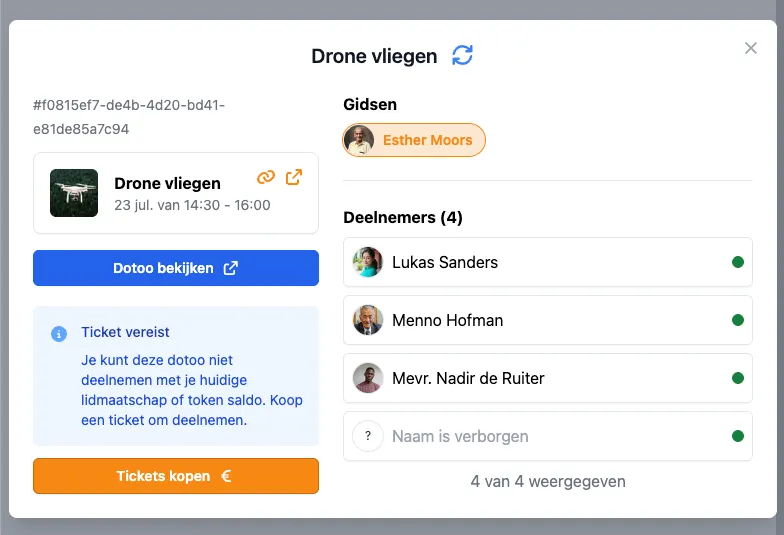
Who leads the class? Visible on your schedule
Link trainers, teachers or guides to your activities and templates. That way your team (and your members) know who leads the class or workshop, without separate lists or endless back-and-forth messages.
Afterwards you see per guide which activities they did, and how many, within a chosen period. That way you keep track of planning, see who runs a lot or a little, and settle hours or arrangements without a separate Excel.
What you arrange with guides
Stats per guide. Which activities, how many, within a chosen period.
On activities and templates. Link once, reuse.
Visible to your team and members. Who leads the class, before booking.
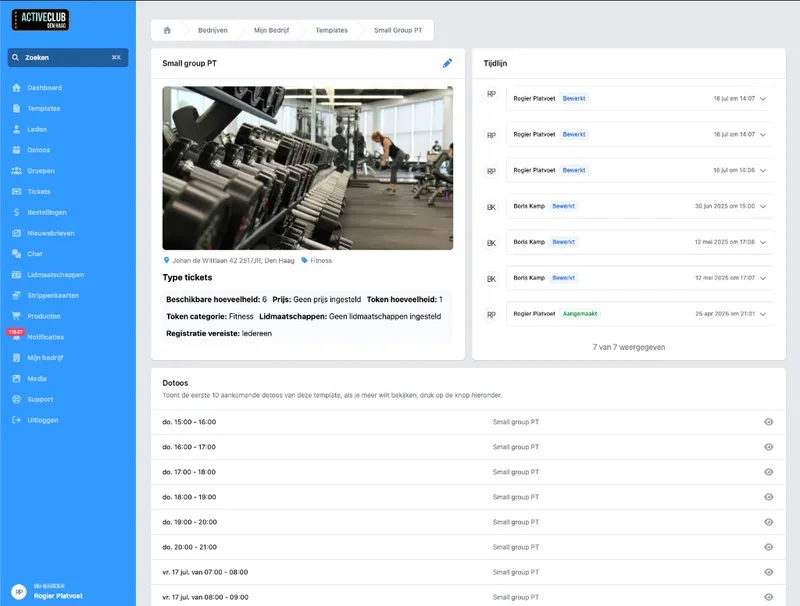
Templates: not the same work again every week
Many activities follow a fixed pattern. With templates you set the title, description, ticket types and settings once. New activity? Ready in seconds, no need to create everything again.
Optionally you keep linked activities in sync with the template. Less manual work, fewer typos, more time for your organization instead of admin.
Why templates save time
Set it up once. Capture title, description and ticket types in a template.
A new activity in seconds. No need to create everything again.
Fewer typos. More time for your organization.
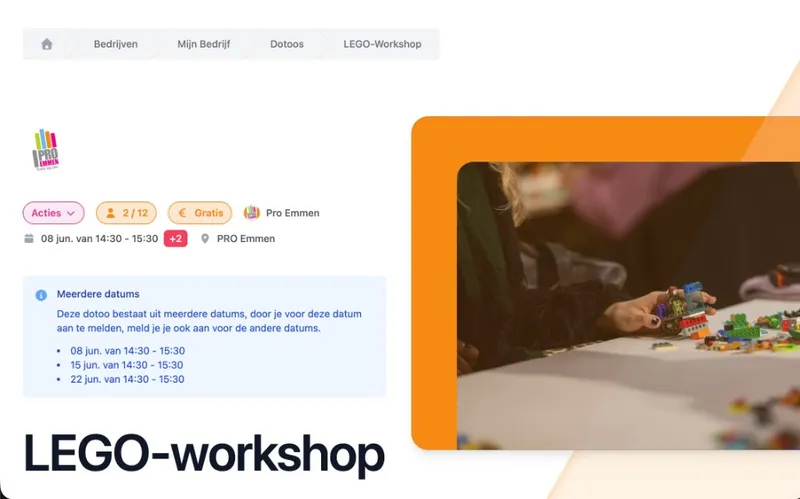
Courses and series without spreadsheet stress
One activity, several dates: a course, a series of workshops or a multi-day event. Set registration periods (when registration opens and closes) and decide how participants see the activity in your calendar.
Members see what they are booking. You keep the overview without Excel lists nobody trusts anymore.
For courses and multi-day activities
Multi-day activities. Courses, series and events without spreadsheets.
Registration periods. Decide when registration opens and closes.
Clear for members. They see exactly what they book.
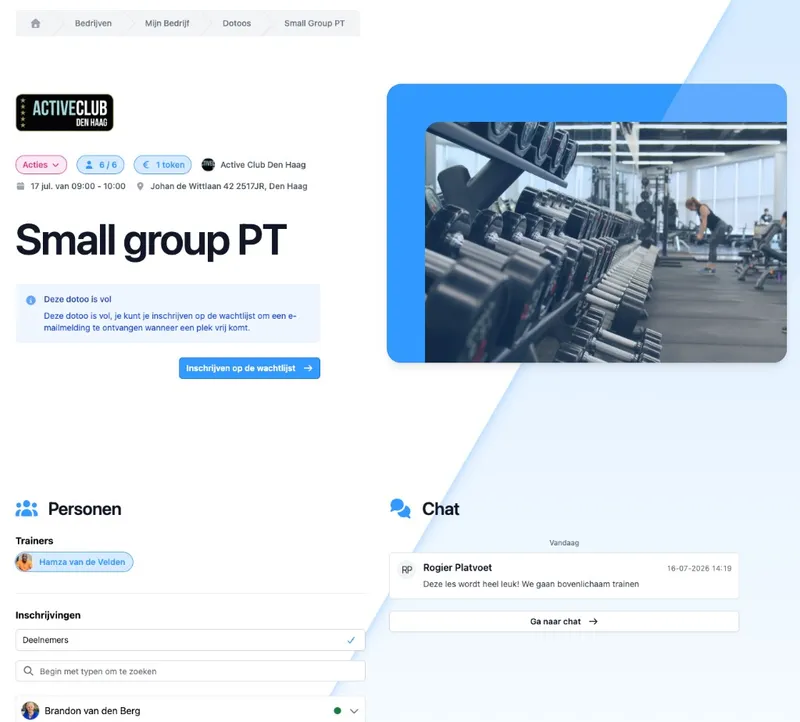
Shareable schedule: one link, always up to date
Your full schedule and every separate activity or class have their own shareable link. Paste it in your newsletter, on your website or send it via WhatsApp. No screenshots that are out of date the next day.
Members see what you publish: date, time, location and whether there is still room. You do not have to explain every change again.
What you can share
Your whole schedule. One link to your public calendar.
One activity or class. Share exactly what is relevant.
Always up to date. Changes are visible on the link right away.

Our pilates and yoga classes for about 100 members lived in separate tools. DoToo is now our schedule, memberships and signups in one place.
Irene Knipscheer
Body Care Westland, Gyms & studios
Frequently asked questions
- Can't I just use Excel or Google Calendar?
You can, until it goes wrong: double-booked spots, outdated versions, no link with sign-ups or payments. Updating everything by hand costs time and money, and every mistake has to be explained to your members again. That is not a scalable way to grow.
- How much time will I save with DoToo?
That differs per organization, but the difference is in repeated work: no double entry when something changes, templates for regular activities, and one source your team and members trust. Organizations that move away from spreadsheets mainly notice less "firefighting" and fewer hours of admin per week.
- Does this work for a single workshop as well as a full schedule?
Yes. You can publish a one-off activity or manage a full program with categories, drafts and published statuses. DoToo scales with you, from the occasional event to a daily schedule.
- What about recurring classes?
The basics are here: creating activities and managing your schedule. For automatically scheduled series and group classes we have a separate feature. Read more on Recurring classes.
- Can members sign up straight away?
Scheduling is the basis; sign-ups, ticket types and attendance are part of Bookings. That keeps everything connected: whatever you schedule, members can book and pay for without you keeping lists by hand.