

Recurring classes without the weekly admin
Set up your group once. DoToo keeps your schedule filled with the next sessions, so you never have to type it all out again each week.
Creating your regular classes by hand every time is expensive and error-prone:
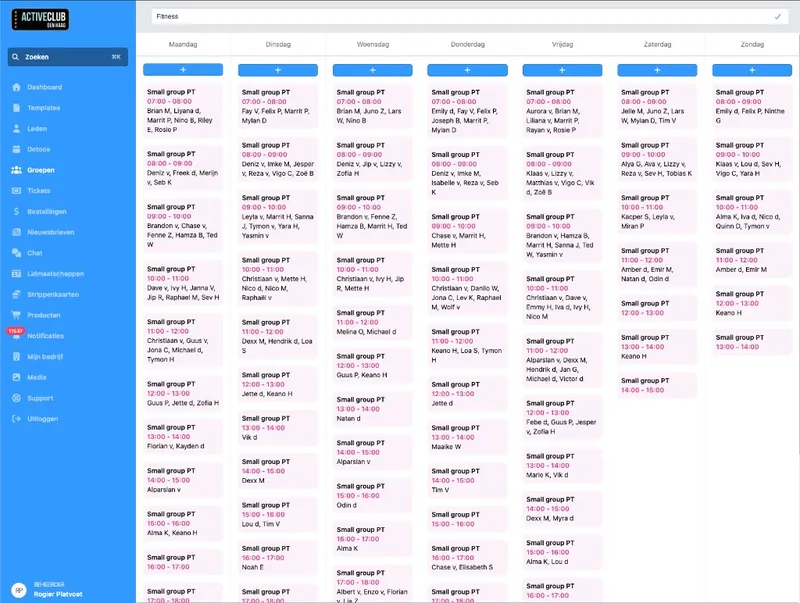
One group. A fixed rhythm.
Create a group for your recurring class or course block: link a template, pick a day and time, and decide who takes part. DoToo turns that into concrete activities in your calendar.
You do not have to lock in the whole schedule months ahead. Set it to always 4 weeks ahead, for example. Then sessions are ready for the coming weeks, and DoToo adds more automatically once the current week has passed.
What you set up once
Template + schedule. For example every Monday at 10:00 from your class template.
Always 4 weeks ahead. You choose how far. DoToo keeps that window filled.
Less manual work. No more weekly copy-paste in spreadsheets.
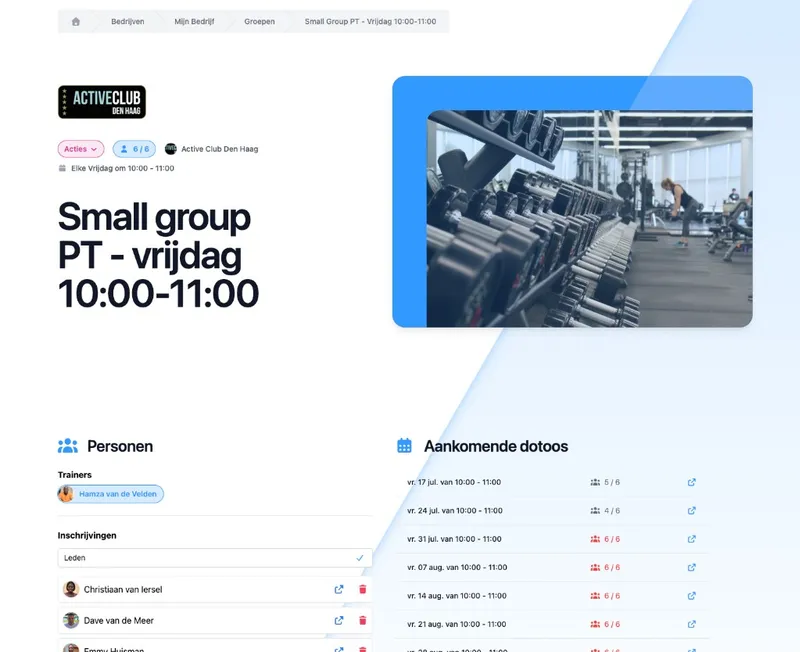
Members, waiting list and group page
Add regular participants to the group, for example for a group class every Monday evening from 19:00 to 20:00. New sessions carry those members along. Is the series full? New prospects can join the waiting list until there is room (for example when someone cancels). So you do not have to keep a separate Excel file. More about how that notification works on Waiting lists.
Members see a group page with the schedule, fellow group members and upcoming activities. That makes clear where they belong, without you explaining the same thing every week.
Overview for your team and members
Group members. Who takes part sits with the group.
Waiting list. Series full? New prospects wait for a spot.
Page for members. Schedule and upcoming sessions in one place.
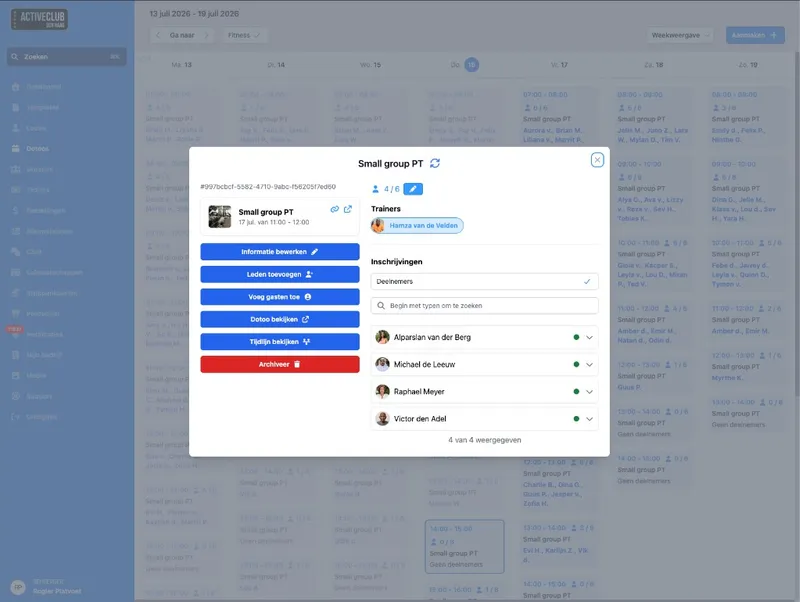
Guides, pausing and archiving
Link trainers, teachers or guides to the group. That information carries over to the generated sessions, so your team knows who leads the class. Afterwards you see per guide which sessions they did, and how many, within a chosen period.
Does the series need to stop for a while? Pause the group: the schedule stays, no new sessions are added. Ready to continue? Set it active again. Archiving takes the group out of your active overview when you are done.
Flexible without the mess
Stats per guide. Which sessions, how many, within a chosen period.
Active, paused or archived. Holidays without rebuilding.
Messages to the group. Quick coordination with group members via Communication.
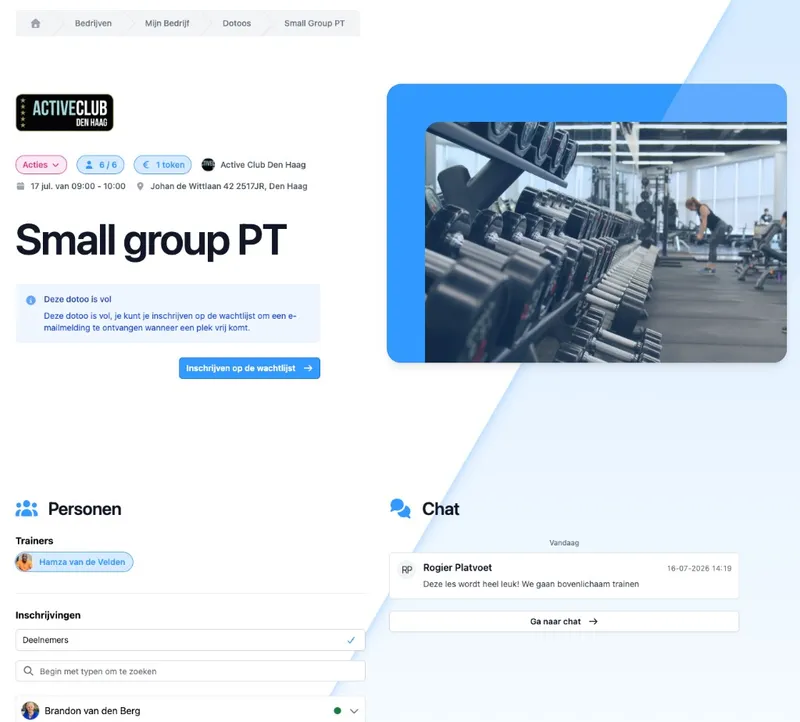
Every session shareable. Always up to date.
The group itself is not a public marketing URL. But every published session appears on your schedule, with its own shareable link. Paste it into a message, on your site or forward it: members see the date, time and whether there is still room.
Change something in DoToo and that same link is instantly up to date. No screenshots that are already wrong next week.
What members and prospects see
Sessions on the schedule. Published activities from the group are easy to find.
A link per class. Share exactly the session that is relevant.
Always up to date. One source, no outdated PDFs.

I used to retype the whole schedule every 12 weeks for the next 12 weeks. Now the series is set up once, and DoToo fills in the next sessions. I never have to do that again.
Rogier Platvoet
Active Club Den Haag, Gyms & studios
Frequently asked questions
- How is this different from regular activities?
On Activities you schedule one-off or multi-day sessions. Recurring classes are for a fixed rhythm: you define a group (day, time, template) and DoToo keeps a rolling view of upcoming sessions. Less recreating things every week, less risk of forgetting a week.
- Are all future classes created in one go?
No. DoToo works with a rolling window: a set number of upcoming sessions stays ready per group. That keeps your calendar clear, without locking you into sessions years ahead that you have to clean up later.
- Can I pause a series during the holidays?
Yes. Pause the group: the schedule is kept and no new activities are added. Set the group back to active afterwards. Archiving is for series you no longer use in your active overview.
- How does the waiting list work for groups?
If the group is full, for example a fixed group class every Monday evening, new prospects can join the group waiting list until there is room. Everyone is notified at the same time when a spot opens up; whoever books first takes that spot. More about that on Waiting lists.
- Can we send messages to the group?
Yes. You open or start a group conversation from the group, so you reach all active group members without separate messaging services. That is part of messages in DoToo. Read more on Communication.