

Booking software for recreational activities and courses
Publish workshops, courses, tours and other bookable experiences. Handle sign-ups, capacity and, if you want, payments in one place, for a one-off activity or a recurring program.
Organizing an activity gets needlessly complicated when scheduling and registrations are scattered:
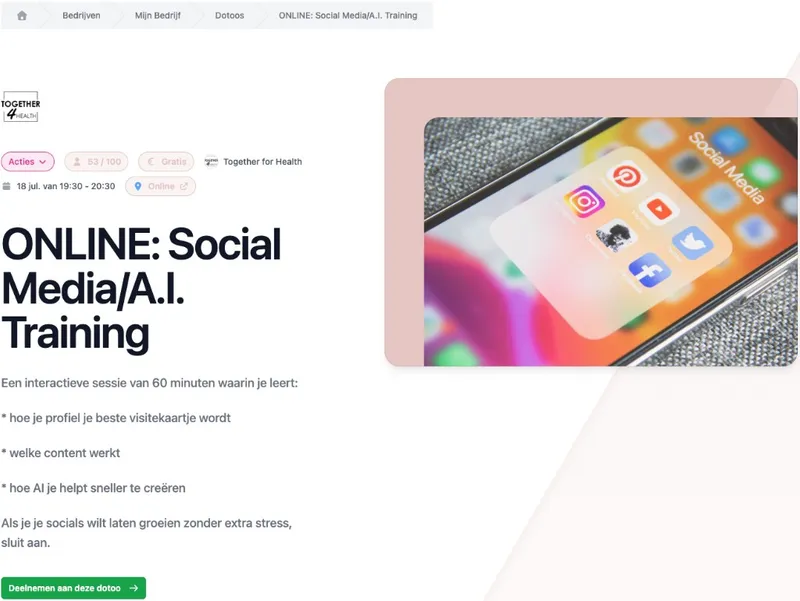
One activity with all the practical rules
Create an activity with a title, description, date, time and location. That can be a physical location or an online link. Work as a draft first and publish as soon as participants can book.
You also set when registration opens and closes. So not only is your program online, the rules around signing up are handled from the same activity.
What you set up in advance
Date and location. On site or online.
Registration period. Choose when sign-ups open and close.
Draft or published. Put your activity live when you are ready.
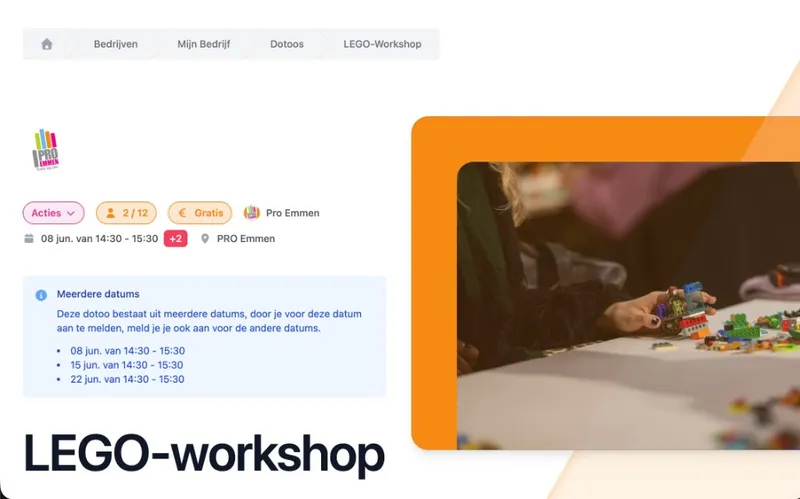
Come once, follow a whole course or join every week
Not every offering has the same shape. Publish a single workshop, tour or experience as one activity. Does a course consist of several fixed dates? Combine those sessions within one activity, so participants know they are booking for the whole program.
For an activity that runs on a fixed weekly rhythm, use recurring classes. DoToo then creates new sessions from a reusable template. That way you pick the scheduling that fits your offering, without managing everything as separate events.
Three formats, the same platform
One-off activity. One workshop, tour or experience on a set date.
Course with multiple sessions. Several dates within the same activity.
A fixed weekly rhythm. New sessions every week, automatically.
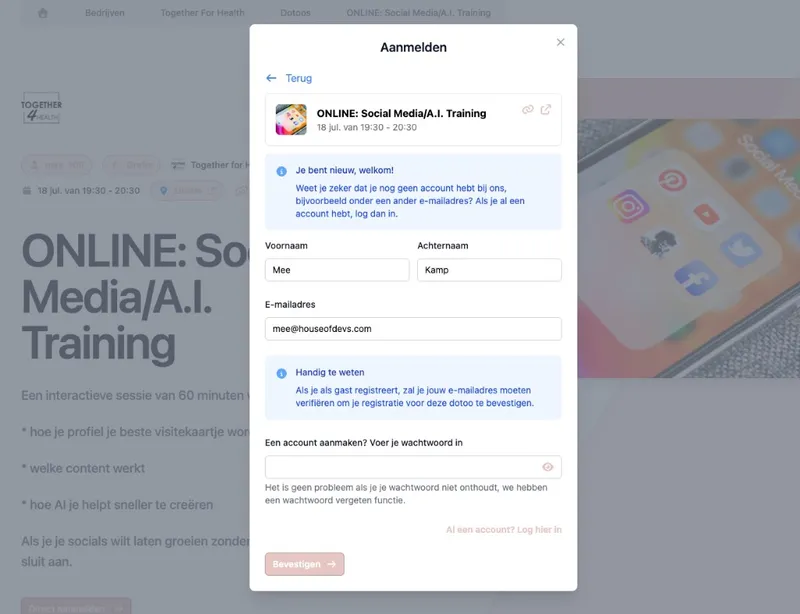
Decide per ticket who can book and what it costs
Create different tickets for the same activity, for example regular, member or guest. Per ticket you set the price, the maximum number of participants and any conditions. You can also add extra questions to the sign-up.
Where needed, participants can check out online right away. For a free neighborhood activity you simply leave payment out. If you also work with members or regulars, you can require a membership or credits from a credit pass as a booking condition.
Booking rules that fit your offering
Free or paid. Set the price per ticket type.
Capacity per ticket. Decide how many spots are available.
Extra registration questions. Ask what you need to know from participants up front.
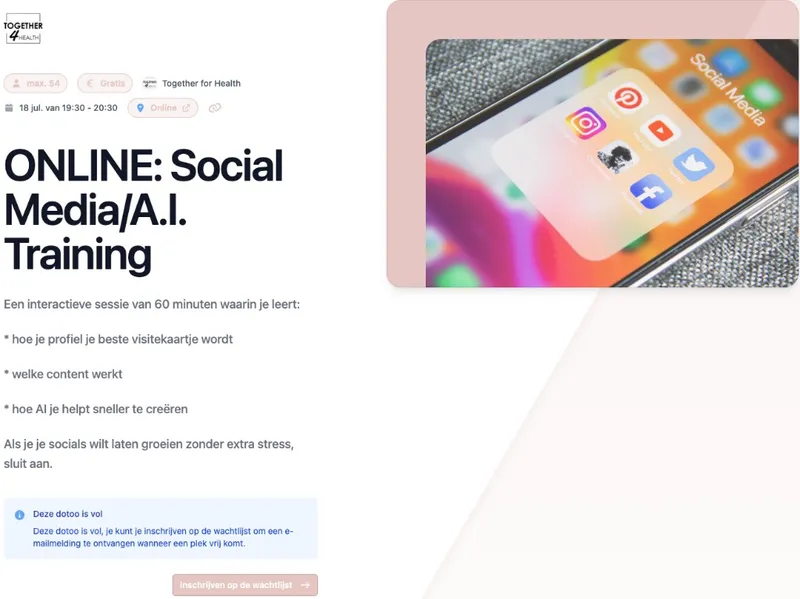
Fully booked? Let the waiting list take over
Once capacity is reached, prospects do not have to give up. With a waiting list they register their interest. If a spot opens up, they get a message about it.
Before the workshop you can optionally send an automatic reminder. During or afterwards your team records per booking who was present or absent. So the organizing keeps running from the same participant list.
From a full workshop to the attendance list
Waiting list. Keep demand visible when all spots are taken.
Automatic reminder. Remind participants before the start.
Attendance. Mark present or absent per booking.
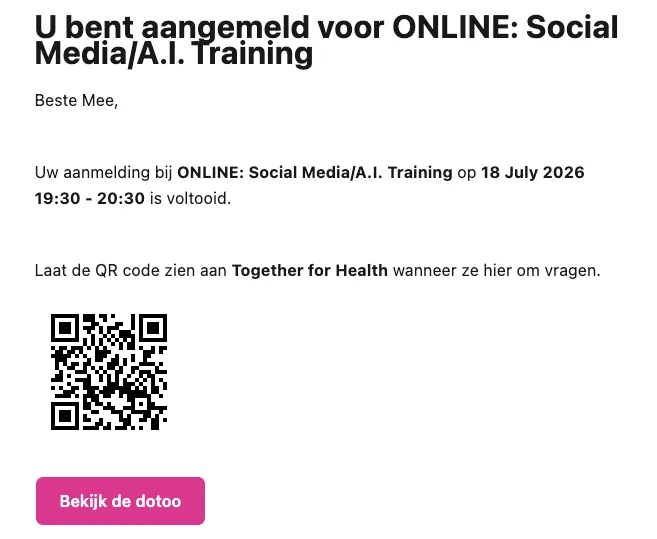
Share one activity. Or your whole program.
Every published activity has its own link with the current information, registration, waiting list and any payment. Share it on your website, in a newsletter, via WhatsApp or with a QR code on a poster.
If you want to show several activities, share the calendar of your business profile. Keep a private workshop or experience out of the public calendar and share it only through the direct link. Change something and the same link is updated right away.
Public or invite only
A link per activity. Share exactly the workshop, course or experience that is relevant.
Public calendar. Show your full published program.
Hidden activity. Not in the calendar, still reachable via the direct link.
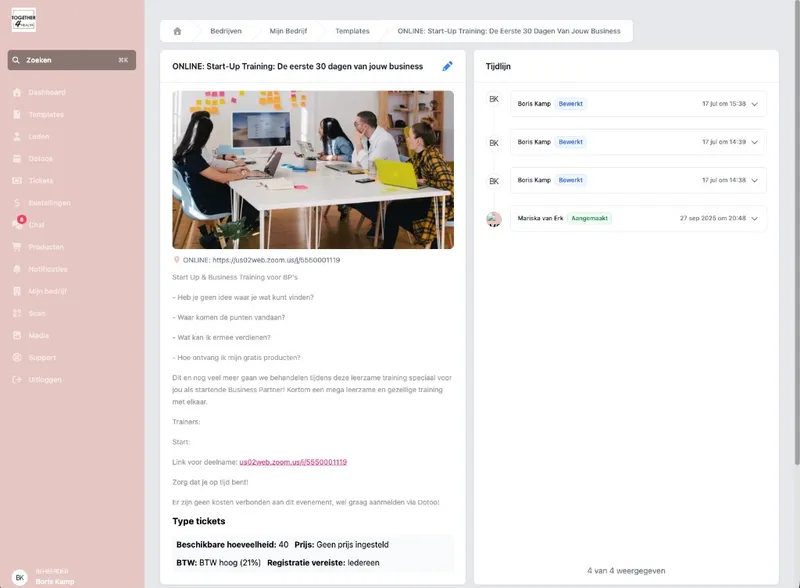
Repeat your workshop format, not the data entry
Do you regularly run a cooking workshop, photography course, tour or creative session with the same setup? Create a template with the fixed content and settings. From that template you set up a new activity faster.
Linked activities can stay in sync with the template. If you adjust the fixed description or settings, you do not have to apply that change by hand to every comparable activity.
A fixed base for repeat offerings
Reusable template. Set your standard workshop format once.
Publish faster. Create a new edition from the same base.
Keep in sync. Update linked activities from the template.
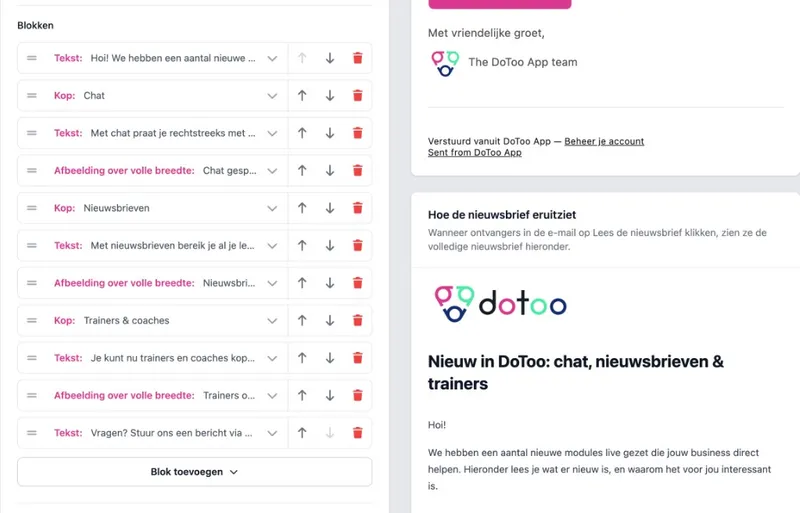
Messages with the activity, newsletters to participants
Send one message from DoToo to everyone taking part in a workshop or another activity. No more separate emails or WhatsApp messages to each participant. See Communication.
For a newsletter you build with blocks: headings, photos and buttons. Send it to your participants by email and in DoToo. That keeps your schedule, messages and updates in one place. More about that on Newsletters.
Two channels, one platform
Messages. Reach everyone at an activity in one go.
Reminders. An optional notification or email before the activity.
Newsletters. Updates with blocks to your participants.
Frequently asked questions
- What kinds of recreational activities is DoToo suitable for?
For organizations that offer bookable activities, such as creative workshops, cooking classes, photography courses, language teaching and bootcamps. Providers of tours, team building and other scheduled experiences can also publish activities with a date, capacity and sign-up.
- What is the difference between a course with multiple dates and a recurring class?
A course with multiple dates is one activity with several sessions that belong to the same booking. A recurring class is meant for a fixed rhythm, for example every Wednesday evening. For that, DoToo keeps creating upcoming activities from a template.
- Can I decide when sign-ups open and close?
Yes. Optionally you set an opening and closing moment for sign-ups per activity. You also set the capacity through the available tickets. If the workshop is full, prospects can put themselves on the waiting list.
- Can I offer free and paid tickets for the same workshop?
- Can I share a private workshop with invited people only?
Yes. Set the activity to hidden. The workshop then does not appear in your public calendar, but stays reachable through the direct link. Share that link only with the people you want to invite.
- What happens when a workshop is full?
With a waiting list, prospects can keep signing up. As soon as a spot opens up, they get a notification. That keeps the demand visible without you keeping a reserve list in email or Excel.
- Is DoToo suitable for free activities too?
Yes. Paying online is optional. You can let participants sign up for free and still keep track of capacity, a sign-up period, reminders and attendance.
- How is DoToo different from a general event platform?
DoToo is built for organizations that offer bookable activities on an ongoing basis, often to smaller groups. Besides one-off activities it supports courses with multiple dates, reusable templates, recurring classes, waiting lists, memberships and credit passes.
- How do I keep participants up to date on changes?
For questions and updates per activity you use messages, including reminders. For scheduled updates with formatting you build a newsletter with blocks. That way you are less dependent on loose chat groups.