
Newsletters through DoToo.
Write a newsletter, send it to all your members, and share a public link if you want. No separate mail tool next to your schedule.
Updates alongside your schedule cost time and look messy:
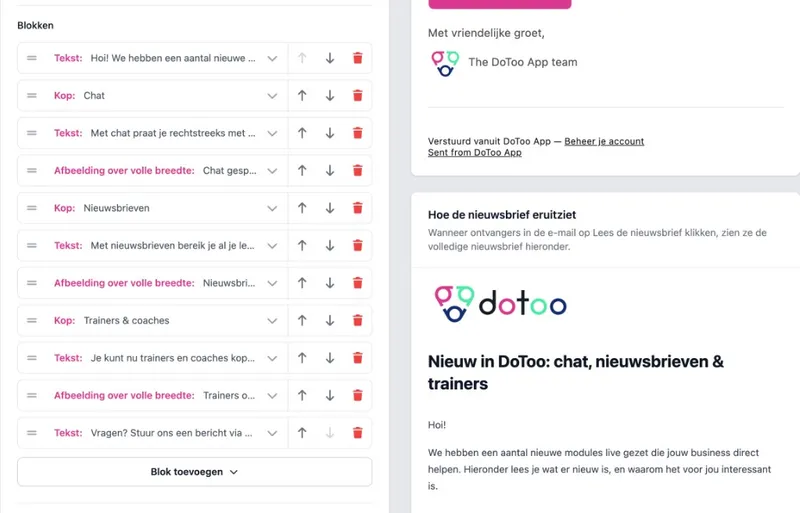
Compose a newsletter with blocks.
You build your newsletter with blocks: separate parts you stack on top of each other. A block for a heading, one for text, one for a photo or gallery, one for a button, or an embed such as YouTube or Spotify.
That keeps the layout tidy and readable, not a flat email that reads as one long text. You see live how it looks before you send. The result looks professional and fits your business.
Why blocks
A block per content type. Heading, text, photo, button or embed.
Better layout. Easy to read instead of one long email.
Live preview. See the result before you send.
To all your members in one go.
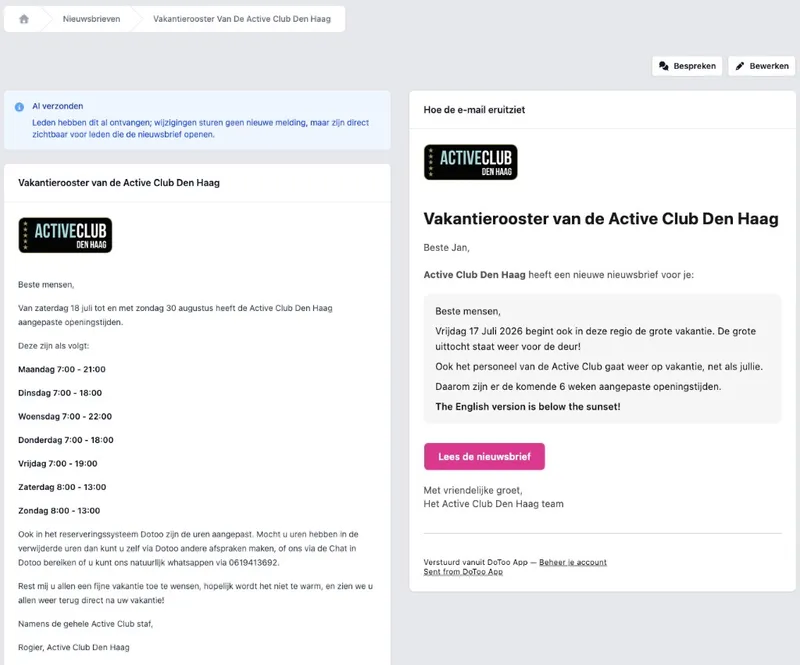
When you are ready, you send the newsletter to all your members in one go. They get an email teaser and a notification in DoToo, so they can open the newsletter in the app too.
Your team sees what has already gone out. Drafts stay drafts until you click send.
After you send
All your members. Everyone in your current member list.
Email + in DoToo. A teaser in the email, the full newsletter in the app.
You decide the moment. Only send once the newsletter is finished.
Share a public link if you want.
Set a sent newsletter to public and people can read it without logging in. Handy on your site, in WhatsApp or on a poster: one link, always the version you sent.
Same idea as with your schedule or business profile: shareable and up to date.
Sharing without hassle
Optionally public. Only if you switch that on and have sent it.
One link. No screenshot that is outdated tomorrow.
Same DoToo. Your newsletter lives with your scheduling, not apart from it.
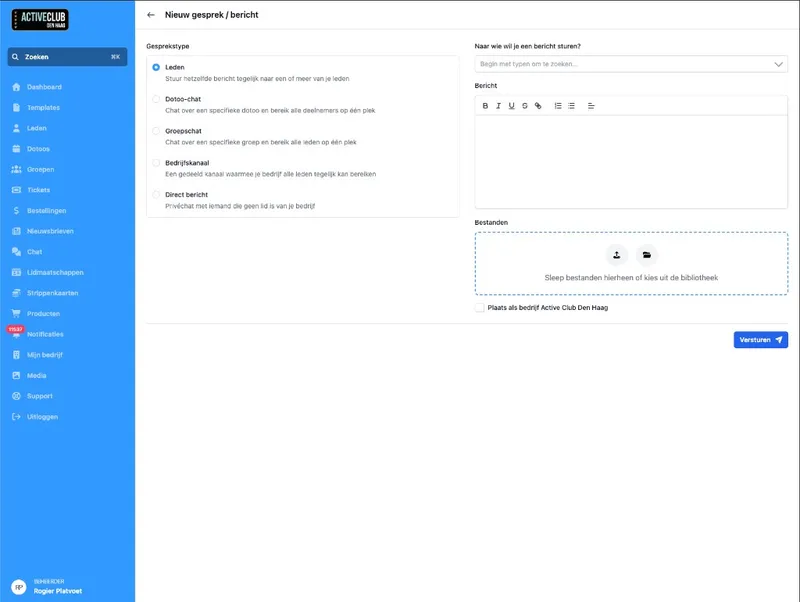
Newsletters are different from messages.
This is about a broadcast you deliberately compose: headings, images and buttons. Then you send it to everyone at once. Do you want back and forth, answering questions or a helpdesk conversation? That is Communication.
After sending, members can click Discuss. That opens a group conversation on that newsletter, only once someone actually wants to respond.
Pick the right channel
Newsletters. Structured updates to members.
Messages. Conversation and helpdesk in one inbox.
Discuss. Replies on the newsletter, without a separate app.
The monthly update used to go out through a Mailchimp export and a WhatsApp message. Now we write it in DoToo, members see it in the app, and anyone who wants can talk about it there. Fewer tools, clearer.
Irene Knipscheer
Body Care Westland, Gyms & studios
Frequently asked questions
- Is this the same as messages?
No. Newsletters are structured broadcasts: you compose and send. Messages are back-and-forth conversations. Read more on Communication.
- Who receives a newsletter?
Your active members. They get an email teaser (if there is an email address) and a notification in DoToo to open the newsletter.
- Can I share a newsletter without a login?
Yes, once you have sent it and set it to public. Then you share one link that people without an account can read. Handy next to your site or in WhatsApp.
- Can members reply to a newsletter?
After you send it, they can click Discuss. A group conversation then starts on that newsletter, only once someone really wants to join in. That is part of Communication.
- Do I have to use newsletters?
No. You switch the module on or off in your business settings. Off means: no newsletters in the menu. On means: compose and send whenever you want.