

Checkout online or on site. Without the hassle.
Classes, memberships, credit passes and products: payment, order and invoice in one place. Less Excel, fewer mistakes, more professional for your customers.
Keeping payments outside your schedule costs time and creates a mess:
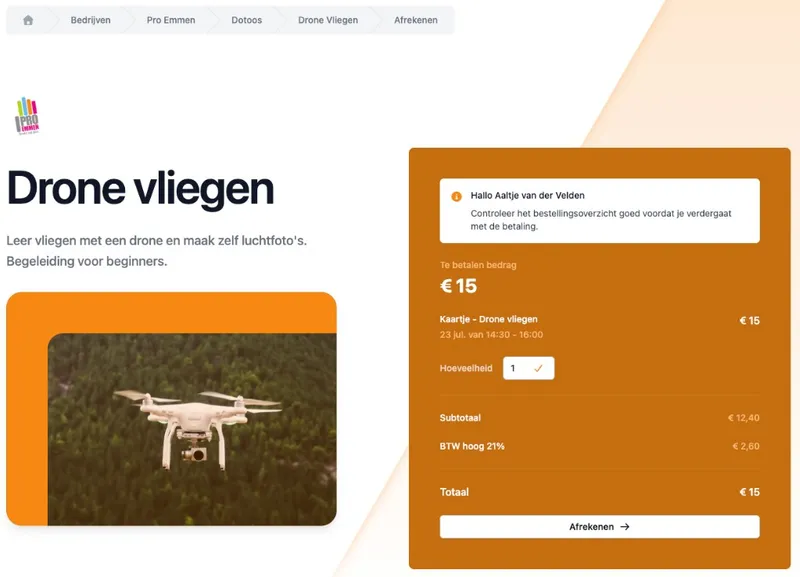
Checkout that fits your class
With a booking, someone can pay online right away or check out on location. Depending on what you allow: a fixed price, paying with a credit pass, or through a membership. Paying belongs to the same sign-up, not to a separate app.
After a successful payment the order sits neatly in DoToo. Something failed? You see the status, without guesswork in WhatsApp.
How people check out
Online or on site. You choose per class how people may pay.
Price, credit pass or membership. Whatever fits your ticket.
Clear status. Paid, open or failed: visible in your orders.
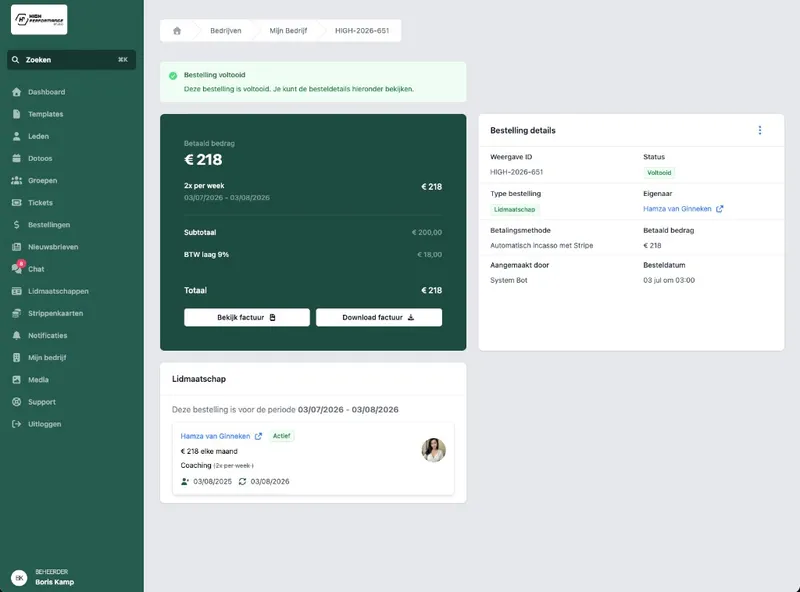
One order overview. For everything that comes in.
Whether someone books a class, buys a membership, buys a credit pass or pays for a product: it comes back as an order with line items. You and your team see what is going on, including hidden orders when you want to filter for those.
No folder of screenshots of bank statements next to an Excel of your schedule. One place for who paid and what for. So you never have to wonder whether someone paid: that takes a lot of worry away.
What you get back
Orders per type. Class, membership, credit pass, product, checkbook.
Order lines. Exactly what was paid or used.
Fewer worries. Never guess again whether someone has paid.
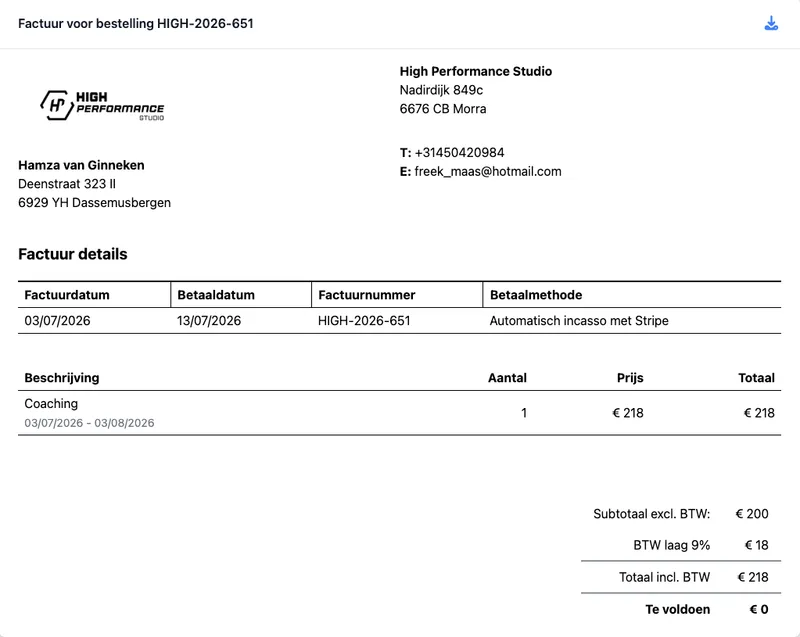
Invoices and VAT. Automatic with every payment.
For every payment through DoToo, on location or online, DoToo creates an invoice automatically. You view or print it from the order: handy for your admin and for the customer who wants something in writing. You set VAT rates so the amounts match what you sell.
No cutting and pasting from three systems to produce one tidy document.
Admin without an extra round
Generated automatically. With every payment through DoToo, online or on site.
Print or share. For the customer or the bookkeeping.
VAT included. Rates that fit your offering.
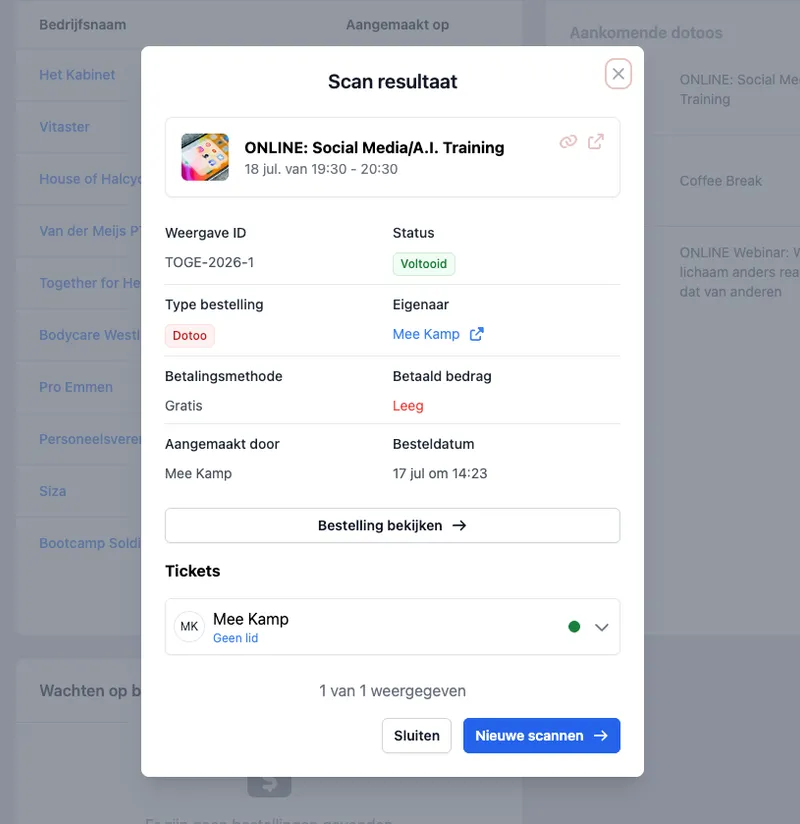
QR on the order. Find it fast on location.
With a QR code on the order you scan straight back to the right payment or order details. Handy at the front desk or in class: less searching by name in a long list.
Connect paying to Bookings and your memberships or credit passes, so planning and checkout sit in the same flow.
In practice
Scan and open. Less typing, found faster.
On site. Front desk or studio without separate notes.
One way of working. Booking and paying belong together.

I used to check bank statements against an Excel list. Now I see per order whether someone has paid and I have the invoice right at hand. That saves hours every week.
Rodney van der Meijs
Van der Meijs PT, Gyms & studios
Frequently asked questions
- Can people only pay online?
No. You can let people check out online and pay on location, depending on what you allow for that class or offer. That way paying fits how you work, not the other way around.
- What can people pay for?
For classes (tickets), memberships, credit passes, products and, if you switch it on, the checkbook. Everything shows up in your orders.
- What about credit passes and memberships for a class?
For a booking you can allow someone to pay with a credit pass or a valid membership, alongside or instead of a direct online payment. The details of those products are on Credit passes and Memberships.
- Do customers receive an invoice?
Yes. For every in-person or online payment through DoToo, DoToo automatically creates an invoice. You can view and print it from the order, including VAT where applicable.
- How does this relate to bookings?
Bookings are about who takes part and about attendance. Payments are about checkout and orders. Together: from sign-up to paid. Read more on Bookings.