

Credit passes. Class credits, without the paperwork.
Sell bundles like a 10-class pass. DoToo tracks the balance per member and lets people book with credits, in the same flow as your schedule.
Tracking credit passes outside your schedule costs time and causes mistakes:
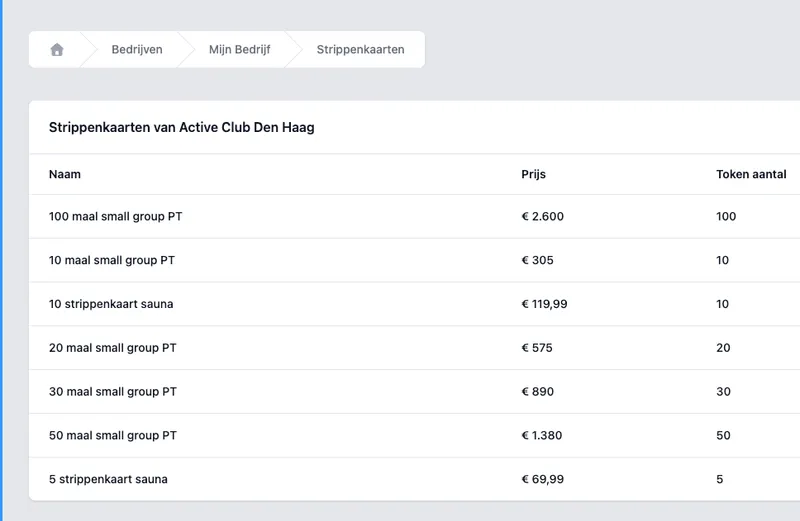
Sell the credit pass that fits your classes.
Create credit passes such as a 5-, 10- or 20-credit pass. You set the price, VAT and how many credits come with it. Customers buy online; the purchase comes back as an order with an automatic invoice.
No separate web shop page next to your schedule: your offering and checkout sit in DoToo.
What you offer
Custom bundles. Your names, prices and quantities.
Credit categories. This way the credit pass fits the right classes.
Buy online. Check out directly, without manual admin.
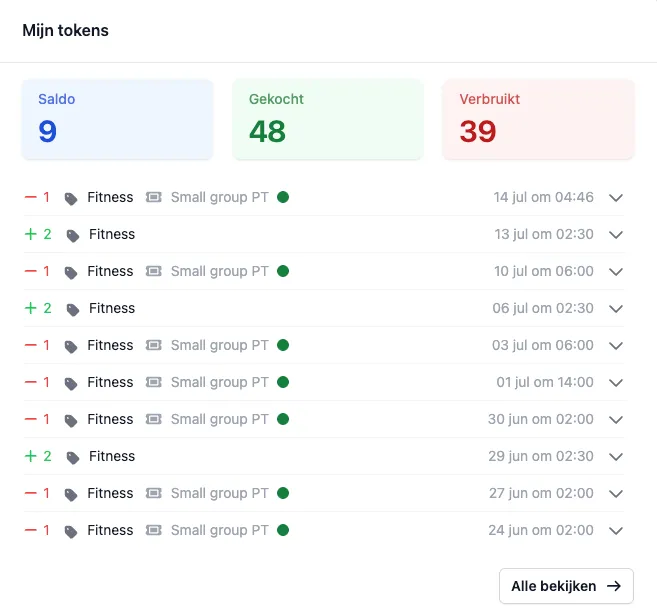
Balance per member. Always clear.
Every member has credits for classes through a credit pass. You and your team see the balance and the transactions on the member profile. Optionally you set an expiry date, so old credits do not sit around forever.
You can always add or subtract credits for a member by hand, for example for a correction or an exception. Less “how many credits did you have left?” at the front desk.
What you get back
Balance per member. Up to date, not in a separate list.
Manual transactions. Add or subtract credit with a member.
Expiry (optional). Credits you deliberately want to end.
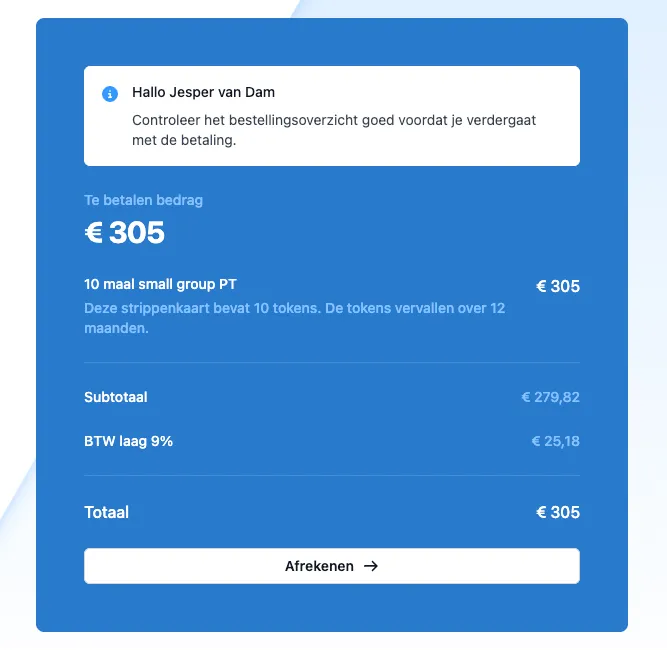
Spent at the booking. Not afterwards in a notebook.
On a ticket you can allow someone to pay with credits from a credit pass. It is deducted at the booking: no manual correction afterwards.
If someone cancels in time, the credits can come back onto the credit pass. You set the cancellation window yourself, for example 12 hours before the activity starts. That way Bookings, payments and credit passes belong to the same class.
At the class
Pay with credits. If you allow that for that ticket.
Back when cancelling in time. Within your window, for example 12 hours before the start.
One way of working. No separate admin next to the schedule.
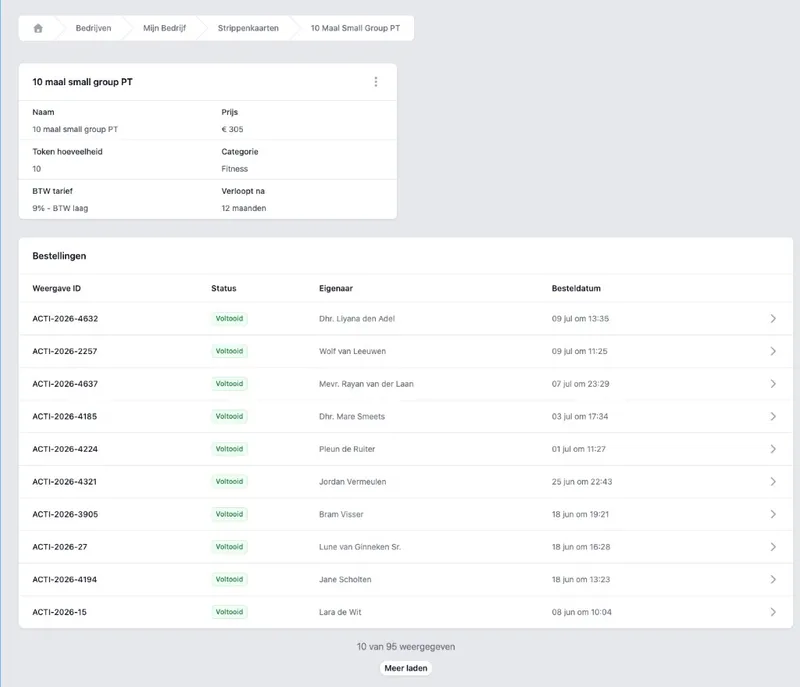
Share one link. Always the current offering.
Every credit pass has a fixed shareable page. Send the link via Instagram, your site or WhatsApp: people see what is for sale and can check out right away. If you change something in DoToo, the shared link is up to date immediately.
Do you also have subscriptions? That is something else: a membership runs over time; a credit pass is credits you spend on classes. You can use both side by side.
Selling without an outdated PDF
Direct link. To the credit pass itself, not to a general homepage.
Always up to date. No screenshots lagging behind your prices.
Fits the rest. Members, bookings and orders on one platform.

We used to tick off 10-class passes in a notebook. Now people buy a credit pass online and credits come off automatically with every booking. No more debate about how many were left.
Rogier Platvoet
Active Club Den Haag, Gyms & studios
Frequently asked questions
- What is the difference between a credit pass and a membership?
A credit pass is credits for classes: you spend those when someone books. A membership is a subscription that is valid for a period of time. You can use them side by side. More about memberships on Memberships.
- When are credits deducted from a credit pass?
If you allow someone to pay with credits on a ticket, the credit is deducted at the moment of booking. No manual tallying afterwards. See also Bookings.
- Can credits expire?
Yes, optionally. You can give credits an expiry date, so an old balance does not stay around forever. You and the member then see more clearly what is still valid.
- How do I share my credit passes?
Every credit pass has a fixed shareable link. Share it on social media, on your website or by email: people see the current offer and can buy right away.
- Do I see the purchase back in DoToo?
Yes. Purchases show up as an order, with an invoice where applicable. Read more on Payments.
- Do people get their credits back when they cancel?
Yes, if someone cancels within your cancellation window, the credit can return to the credit pass. You set that window yourself, for example 12 hours before the activity starts.
- Can I adjust a balance manually?
Yes. On a member you can always add or deduct credits by hand, for example for a correction or an exception.