

Memberships that fit your classes.
Sell, renew and manage subscriptions in one place. Who is allowed to book shows up right on your tickets, without separate lists or email threads.
Tracking memberships alongside your schedule costs time and causes mistakes:
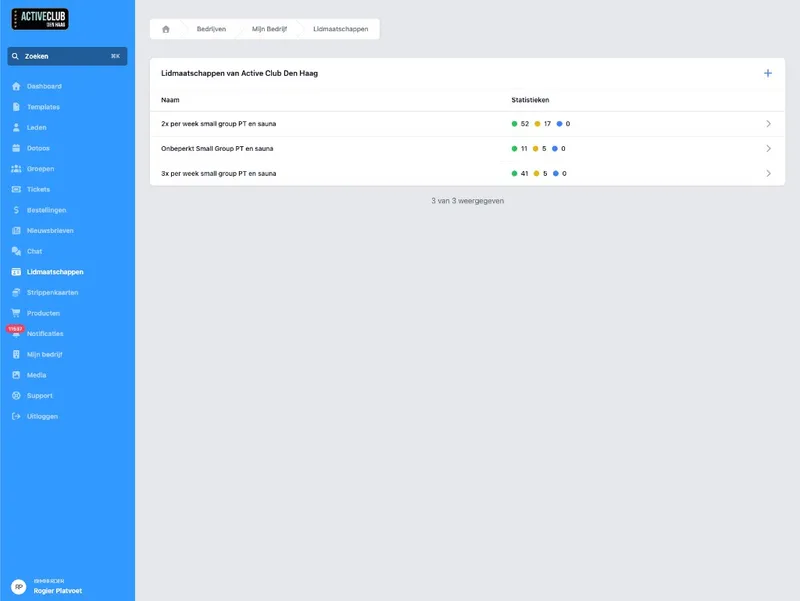
Your memberships. With the variants you sell.
Create memberships that fit your offering. Per membership you offer variants for the billing term: every month, every quarter, every 4 weeks or another rhythm.
The purchase runs through DoToo and comes back as an order. No separate web shop page that stands apart from your schedule.
What you offer
Memberships per business. Exactly your names and rates.
Variants. For direct debit: every month, every quarter, every 4 weeks, and so on.
Buy online. Customers pick and check out without messy in-between steps.
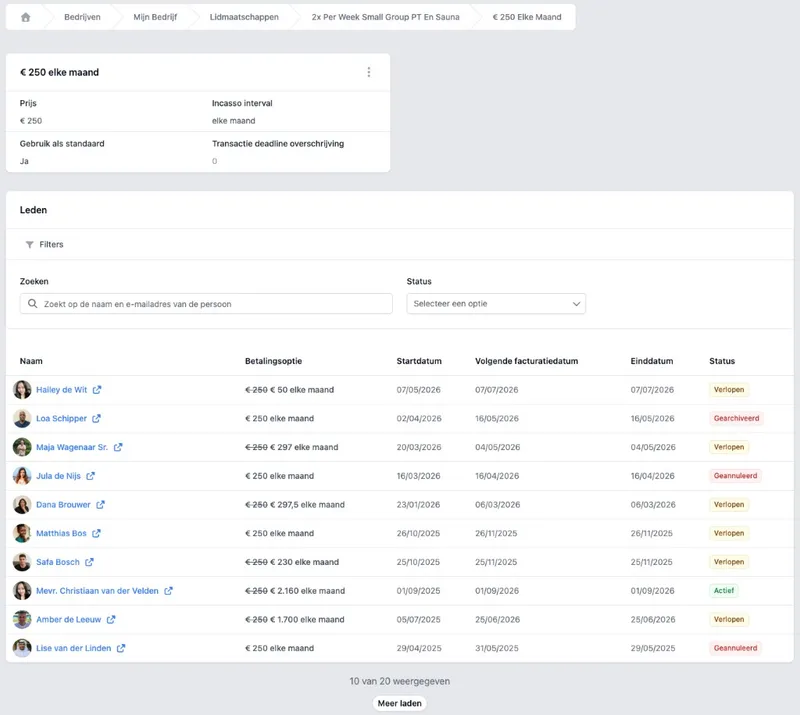
A membership is not a label. It belongs to the booking.
On a ticket you can set which memberships are allowed to book. Members-only classes are then protected automatically, and you do not have to check a spreadsheet with every sign-up.
That is the difference with a standalone subscription in a web shop: in DoToo the membership sits in the same flow as Bookings and your activities.
At the class
Allowed memberships. Per ticket you set who can book.
Classes for members. Less discussion at the front desk or in the app.
One way of working. Scheduling, booking and membership belong together.
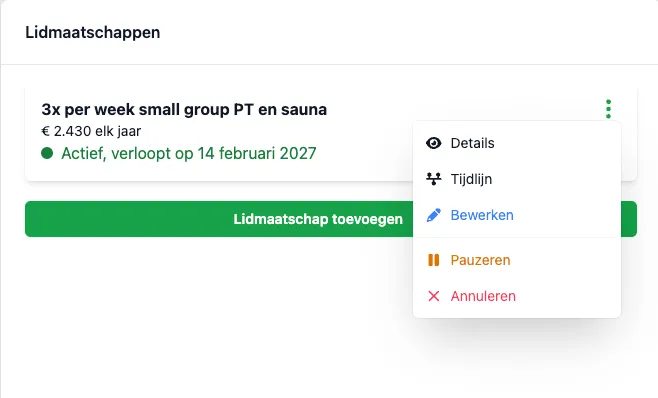
Buy, renew, cancel. Without manual work.
Customers can buy, renew or cancel a membership. Behind the scenes DoToo tracks what is active, what is expiring and what needs to be charged again.
Among other things you get a heads-up when a membership is about to expire. Fewer questions like “were you still a member?” and fewer missed renewals.
Lifecycle without Excel
Activate and let expire. The status follows automatically.
Renewals and cancellations. Fewer email threads, clearer in DoToo.
Reminder before it ends. Fewer surprises for you and for the member.
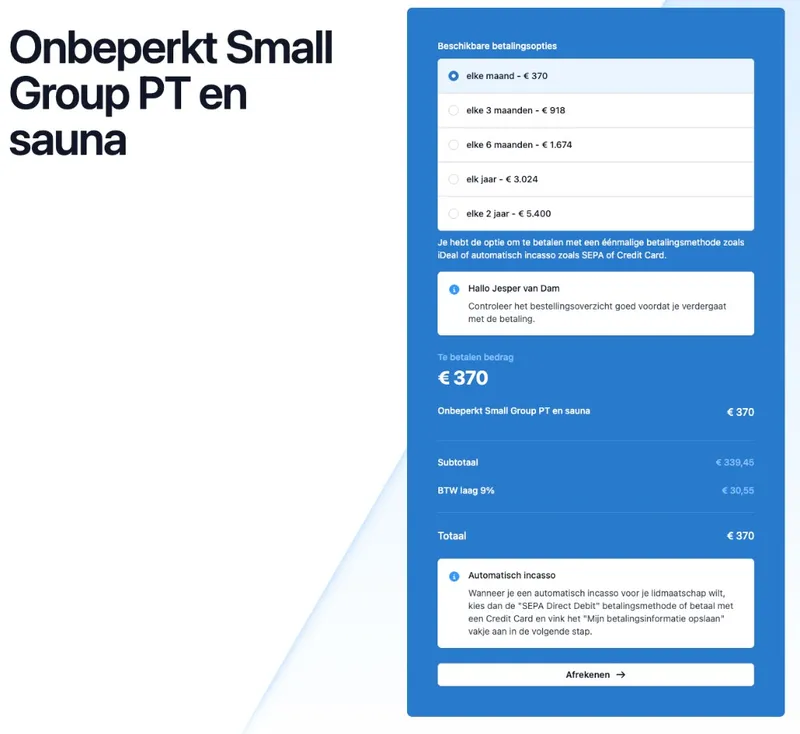
Share one link. Always the current offering.
Every membership has a fixed shareable page. Forward that link via Instagram, your site or WhatsApp: people see what is for sale and can check out right away. If you change the price or text in DoToo, the shared link is up to date immediately.
Together with Payments you see orders and invoices. Do you also want classes paid with credits? Take a look at Credit passes. Memberships can also hand out credits automatically (if you turn that on).
Selling without an outdated PDF
Direct link. To the membership itself, not to a general homepage.
Always up to date. No screenshots lagging behind your real prices.
Fits the rest. Members, bookings and orders on one platform.

Who was still a member lived in a spreadsheet, and with every sign-up I checked whether someone was allowed to join. Now people buy a membership online and I see straight away if the class is allowed. That saves stress every week.
Irene Knipscheer
Body Care Westland, Gyms & studios
Frequently asked questions
- What is the difference between a membership and a credit pass?
A membership is a subscription that is valid for a period of time (per month, for example). A credit pass is about credits for classes: you spend those when someone books. You can use them side by side. More about credit passes on Credit passes.
- Can certain classes be booked by members only?
Yes. On a ticket you set which memberships are allowed to book. That keeps member classes really for members, without manual checks. See also Bookings.
- Can customers renew or cancel themselves?
Yes. They can buy, renew or cancel a membership through DoToo. Behind the scenes the system keeps track of what is active and what is expiring, including a reminder before it ends.
- How do I share my memberships?
Every membership has a fixed shareable link. Share it on social media, on your website or by email: people see the current offer and can buy right away. That way you avoid outdated PDFs or screenshots.
- Do I see the payment back in DoToo?
Yes. Purchases show up as an order, with an invoice where applicable. Read more on Payments.