

From sign-up to attendance. Without Excel.
Bookings, capacity and who actually showed up: all in one place. Less manual work, fewer mistakes, more professional for your members.
Tracking sign-ups outside your schedule costs time and causes mistakes:
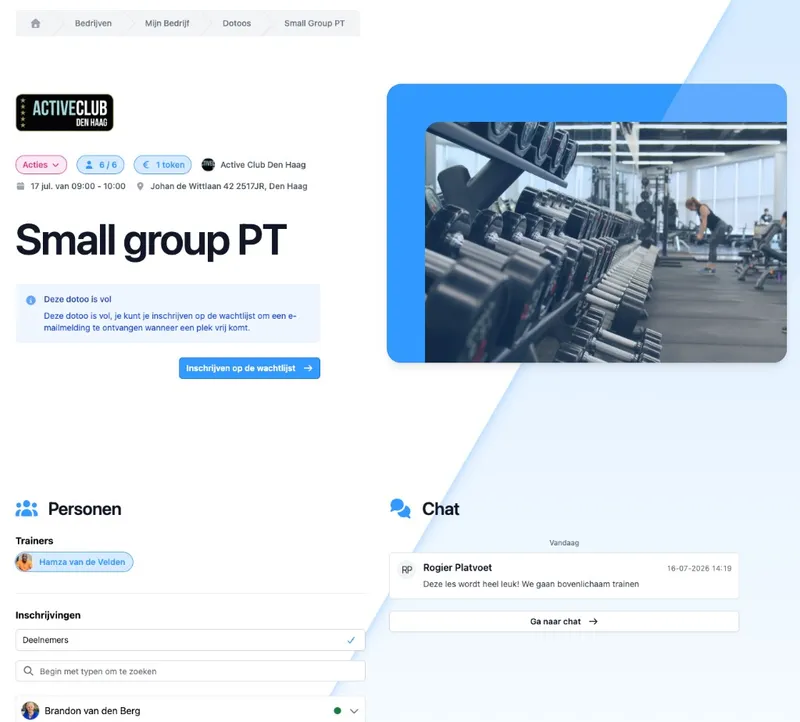
Tickets that fit your class
Create different ways to take part per activity, for example single class, member, guest or trial class. Per ticket you set capacity. Decide whether an immediate online payment is required, or whether someone pays with a credit pass or membership, and whether extra questions belong to the sign-up.
That way you see at a glance how many spots are left, without counting by hand in a spreadsheet.
What you set per ticket
Capacity. How many people can take part.
Conditions. Members, membership, credit pass, or open to everyone.
Extra questions. Ask what you need at sign-up.
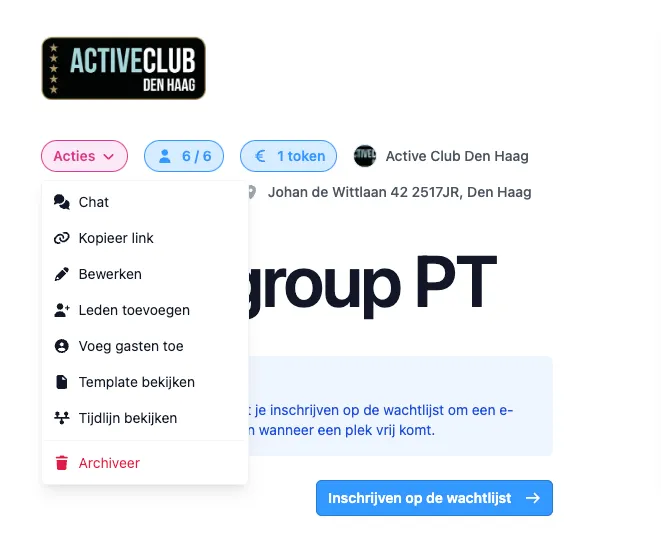
Sign up through a link. You keep the list.
Share the link to your class or schedule. People sign up in the place you publish. You see right away who has a ticket and whether the class is full, and you no longer have to update a WhatsApp group or an Excel file.
Moving the class time or taking the activity offline for a bit? On that same link, new sign-ups immediately see the current time, or that registration is (temporarily) closed. No screenshots from yesterday that confuse everyone.
From link to a spot on the list
Share one link. To the class or to your whole schedule.
Visible right away. New sign-ups appear with the activity.
Less back and forth. No more “just put yourself on the list” messages.
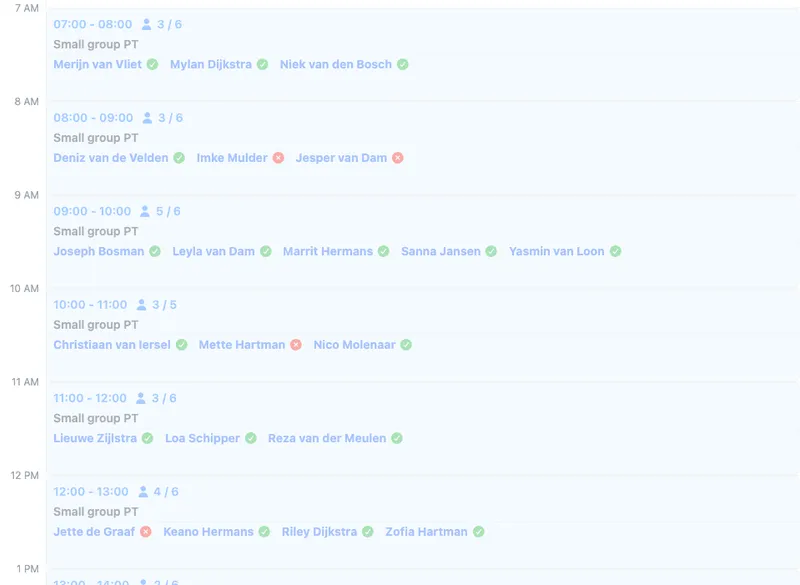
Present or absent. Ready for the class.
Record per participant whether they were present or absent. Afterwards you know who was there, who did not show up, and what you want to follow up on later, without a separate paper sheet or a second spreadsheet.
Filter and view the list in the app: one source for planning and attendance.
On the day of the class
Present or absent. Mark it quickly per participant.
Overview afterwards. Who came, who did not.
No double admin. The same list as your bookings.
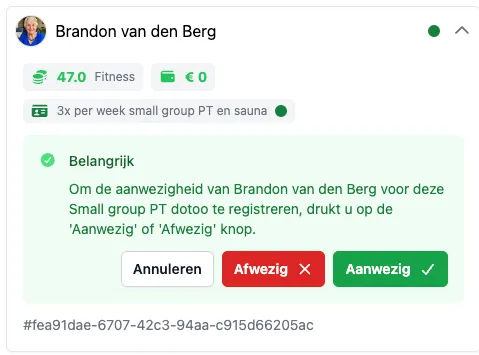
Labels and limits. Without separate notes.
Mark tickets with labels you define yourself, such as trial class or visitor. Handy for filters and follow-up, without codes or notes in an Excel column.
Want to stop someone from booking too often across a series of activities? Limits take that into account. Is the class full? Send people to the waiting list. Paying is handled through Payments.
More grip on who takes part
Your own labels. Trial class, guest, or whatever fits you.
Limits across activities. Less “accidentally booked too often”.
Full = clear. Waiting list or next class, without chaos.

Members could not sign up or cancel themselves, and classes ran through an old system. Now all of our dozens of classes a week have full attendance registration. With six trainers we track exactly who was there. That saves mistakes and hassle.
Rogier Platvoet
Active Club Den Haag, Gyms & studios
Frequently asked questions
- How is this different from scheduling activities?
On Activities you schedule and publish your schedule. Bookings are about who takes part: tickets, capacity, labels and attendance. Together they form one flow: from scheduling to showing up in class.
- Can people book themselves through a link?
Yes. Share the link to your class or schedule. Sign-ups land in DoToo, so you do not have to update lists by hand. Screenshots of an outdated schedule are no longer needed.
- How does paying for a booking work?
Tickets can be free, or linked to a price, credit pass or membership. You can read how paying works on Payments.
- What if the class is full?
Then capacity has been reached. People can join the waiting list. Read more on Waiting lists.
- What is the difference between a label and attendance?
Attendance is whether someone was there (present or absent). Labels are markers you choose yourself, such as trial class or visitor, to make overviews and filters easier. Those are two different things.