

Bring guests along. Even without a DoToo account.
Add someone from the front desk, or let them confirm through a link in an email. Ideal for drop-ins, trial classes and kids without their own login.
Forcing everyone to create an account causes hassle:
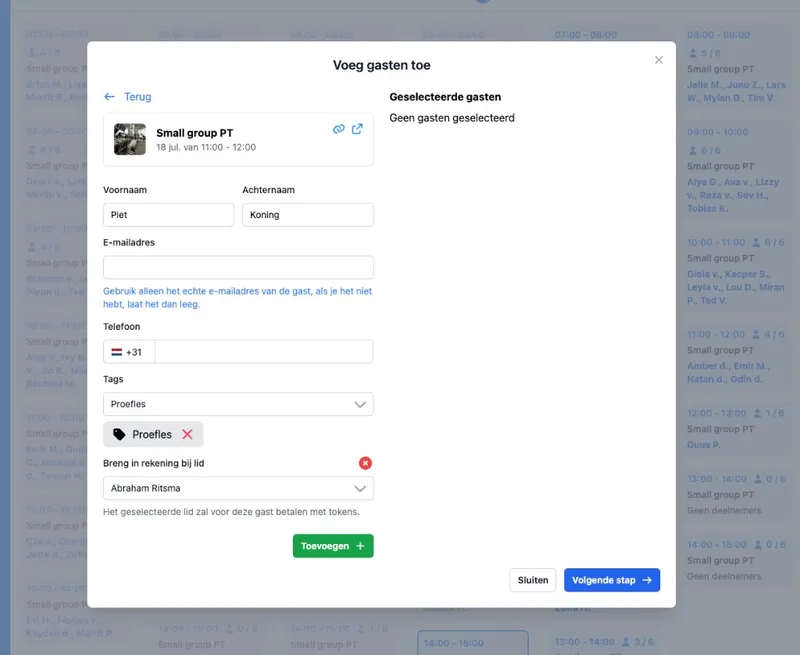
You add guests. Without an account from them.
You or your team add a guest to an activity: first name, last name, email and phone. That person does not need a DoToo account. The ticket can be in that guest's name, so your attendance list is correct.
Handy for a walk-in, a trial class, or when a parent brings a child along. That way booking stays with the class, not on paper next to your schedule.
From the front desk
You or your team adds them. The guest lands on the participant list.
No account needed. A name and contact details are enough.
A ticket on the guest. Clear who is taking part.

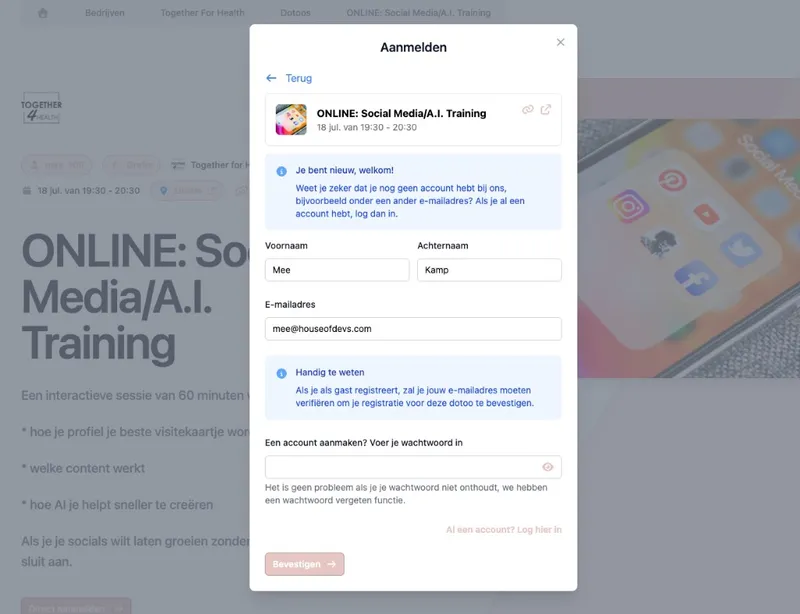
Confirm with a link in the email.
Sometimes you want someone to confirm quickly without creating a full account first. With a sign-up link in the email, they open the class page and confirm their attendance, without a full login.
Fewer drop-offs in a long email thread. More clarity about who is really coming, tied to your activity.
Lighter sign-up
Link in the email. Open, confirm, done.
No full registration first. The threshold stays low.
Linked to the class. The confirmation belongs to that session.
You decide how strict signing up is.
Per business you set whether people need an account, or whether signing up as a guest is allowed. That way you pick the threshold that fits your audience: stricter for regular members, lighter for open trial classes or one-off activities.
Guests and members can exist side by side. Regular customers end up under Members; someone who joins once does not have to become one right away.
Fits your audience
Account required. If you want that.
Guests possible. If you lower the threshold.
Mix per situation. Members and guests in the same class.
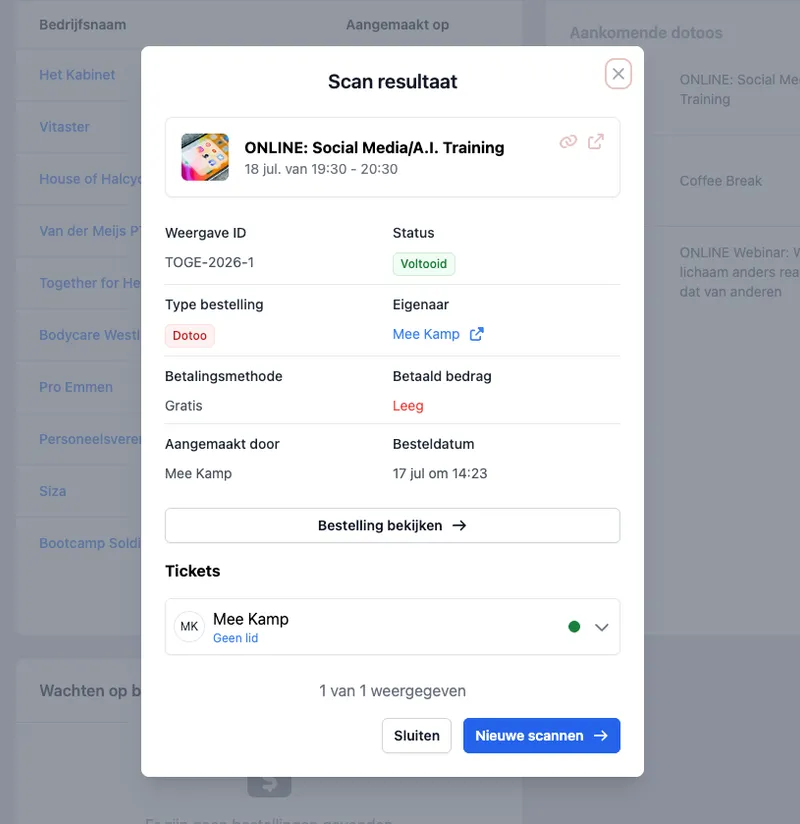
Attendance and overview stay accurate.
Guests sit in the same participant flow as regular bookings. You see who is signed up, you can track attendance, and you do not need a second list alongside DoToo.
More professional than names in WhatsApp: the class page and the attendance list tell the same story.
In your way of working
Visible on the class. Guest or member: you see the name.
Fits attendance. No separate paper list.
Less friction. People join in, the admin follows.

We used to write walk-ins and kids without an account down on paper. Now we add a guest to the class and everyone is on the same list. That saves hassle at the front desk and mistakes in the attendance list.
Rogier Platvoet
Active Club Den Haag, Gyms & studios
Frequently asked questions
- What is a guest in DoToo?
Someone who takes part in an activity without a DoToo account, or without one yet. You or your team can add that person with a name and contact details. The ticket can be in that guest's name.
- Can guests add themselves?
You or your team add guests to an activity. Depending on your settings, people can also sign up in a lighter way, for example by confirming through a link in an email, without creating a full account right away.
- When do I use guests instead of members?
For one-off participants, walk-ins, trial classes or children without their own login. Regular customers belong in Members. You can use both side by side.
- How does the link in the email work?
Someone opens the sign-up link, lands on the class page and confirms their attendance without a full login. That way you know sooner whether someone is really coming. See also Bookings.
- Are guests on the same attendance list?
Yes. Guests are part of the participants of the activity, so your team keeps one overview instead of a separate paper list.