

Organizing a workshop, sports class or event by hand takes time: registrations, payments, cancellations and communication. Some people still do it in Excel or on paper.
DoToo is a platform for activities: you publish dotoos, share a link, and participants sign up online and pay where needed.
Suitable for sports classes, training sessions, workshops, courses, children’s activities and events, among other things.
Account and business
Create an account at play.dotoo.app and set up your business. Under Settings → Payments, switch on Stripe if you want to accept online payments.
Creating a dotoo
A dotoo is one scheduled activity. Go to Dotoos and choose Create (on a narrow screen through the menu).
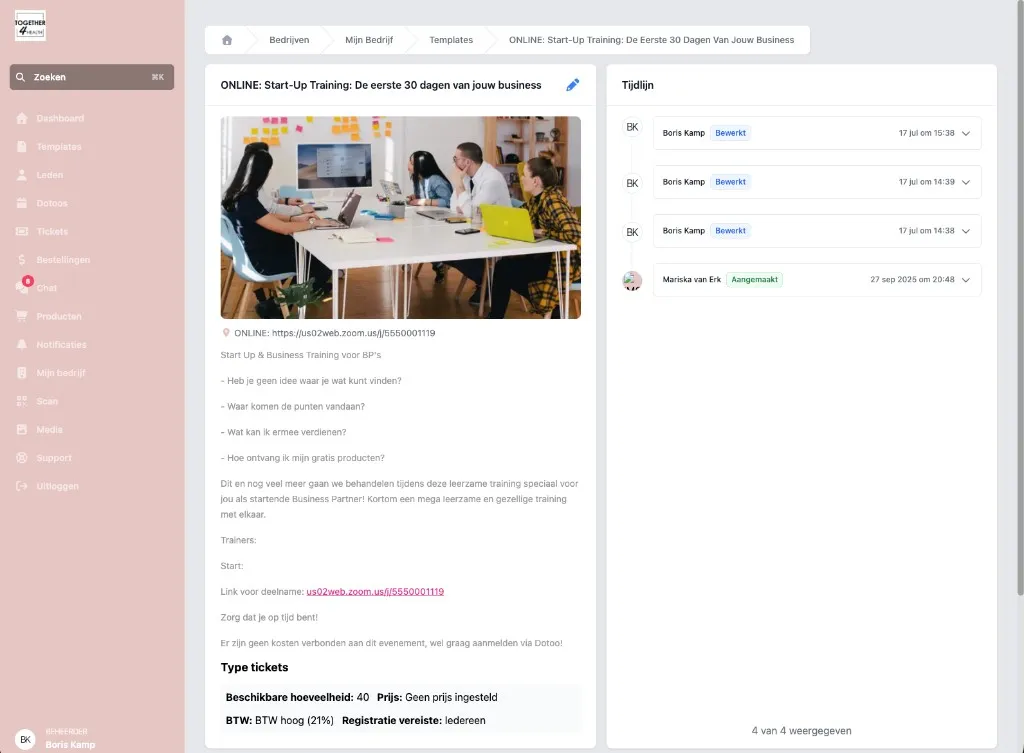
At the top you can optionally pick a template, so the title, tickets and location are already set. After that, fill in the date, the sign-up window, the location or online link, the ticket types and the display type.
Important fields
- Ticket types: price, tokens, membership, capacity
- Display type: Public, Members only or Hidden
- Sign-ups open from/until
- Transaction deadline for tokens or memberships
- Reminder in hours before the start
DoToo updates the statuses (Draft, Scheduled, In progress, Completed, …) automatically. Signing up is only possible while the status is Scheduled.
The page of the dotoo
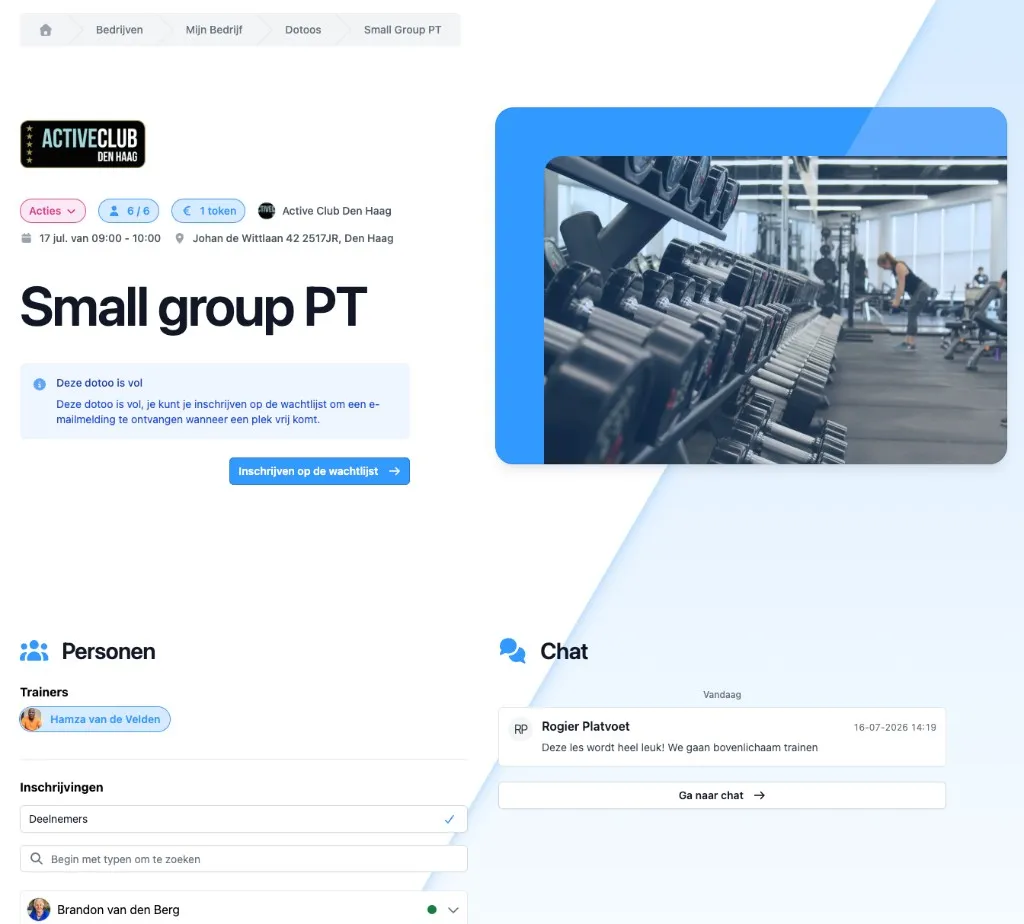
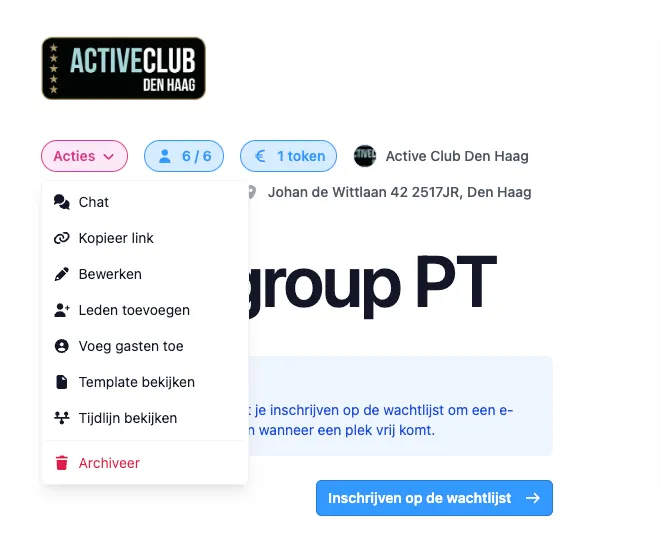
Once you have created it, participants have a clear page with the details of the activity. You share it with Actions → Copy link, or through your public schedule at play.dotoo.app/bedrijven/your-slug/dotoos.
What else you can do
- Chat: messages to participants of this dotoo
- Participant list: attendance, adding guests, managing tickets
- Payments: through the tickets you have set up (Stripe, tokens, membership, on-site, …)
- Waiting list: when the dotoo is full; spots that open up go by email to everyone on the list (whoever responds first gets the spot)
Conclusion
With DoToo you publish activities, share one link, and sign-ups and payments take care of themselves according to your tickets.
Get started at play.dotoo.app. Need help? Use Support in the app.